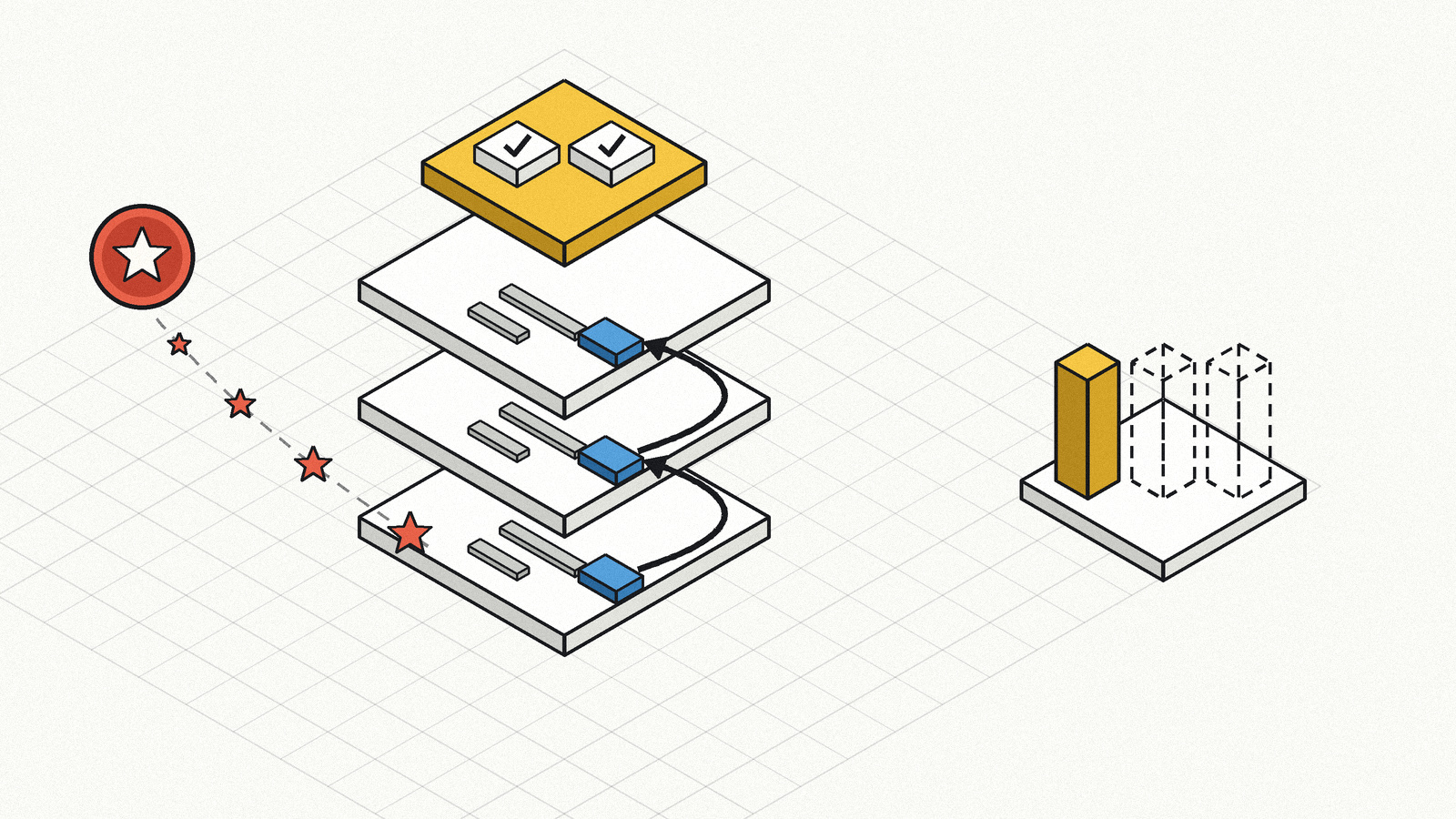
Google Moved Its AI Answer Links Higher: Two of the Five Changes Are Yours to Act On
Google opened its October 15, 2026 announcement with a usage number. The number of people using its Preferred Sources feature has grown by more than 7x since the start of the year [1].
That framing matters, because four of the five changes Google then described are display decisions its own systems make. One is a feature your readers switch on for you, and you can put the switch on your pages with two lines of HTML [2].
The announcement also creates a measurement problem that has nothing to do with the announcement itself. Google says inline links now appear higher in AI responses more often. In Search Console, an AI Overview occupies a single position, and every link inside it is assigned that same position [8]. The change Google describes and the data Google gives you are measured on different axes.
---
Quick answer
Google announced five changes to how AI Mode and AI Overviews link to websites [1]. Sorted by what a site can actually do about each one:
- Two are actionable. Preferred Sources has an official publisher implementation, including a Google-styled button you embed on your pages [2]. Search profiles can be claimed, with follower thresholds and a three-country availability limit [4][5].
- Three are display decisions. More inline links, higher placement, a tested section for official pages, wider news carousels, and richer end-of-answer links are all things Google's systems decide. Google's own documentation states there are no additional technical requirements for appearing as a supporting link in AI features beyond being indexed and snippet-eligible [6].
- The headline change is the hardest to measure. The dedicated Generative AI performance report in Search Console reports impressions only [7]. Clicks from AI features do land in Search Console, inside the Web search type of the regular Performance report, mixed with classic results [6][8].
What this does not change: the eligibility bar. A page needs to be indexed and eligible to appear with a snippet, and Google states there are no requirements beyond that [6].
---
What did Google actually announce on October 15?
The post came from Hema Budaraju, VP of Product Management, and listed five items [1].
| # | Change | Status in the announcement | Who controls it |
|---|
| 1 | Continued and substantial increases to inline links, plus updates to show them higher up in responses more frequently | Launching | Google |
| 2 | A dedicated section at the top of a response for the one or two official pages a specific task needs, with context explaining why each link is useful | Testing | Google |
| 3 | Prominent carousels for timely articles rolling out to additional locations and languages globally, highlighting a user's Preferred Sources | Rolling out | Google, plus the user's own source list |
| 4 | Links at the end of some AI responses made more engaging and prominent, with image thumbnails and a more clickable design | Launching | Google |
| 5 | Clickable creator and publisher names on video results, linking to their Search profiles in AI Mode | Testing, started that week | Google, plus whether you claimed a profile |
Two details in the wording are worth keeping. The official-pages section is described as a test of a new display, and Google frames it as an expansion of what it already does when someone is looking to go to a particular site. The creator-name test began the same week as the post, on video results specifically.
What Google did not say
Google did not describe how pages are selected for the official-pages section. It described the user need ("only one or two official places on the web to complete a specific task") and the display, with no selection criteria.
Google also published no numbers for the inline-link increases. The phrase is "continued and substantial increases," with no baseline, no percentage, and no date range.
Treat both gaps as gaps. The absence of selection criteria is not evidence that existing signals are irrelevant, and it is not evidence that they help either.
---
Which two changes can a site act on?
Preferred Sources: the one with shipping code
Preferred Sources is a user-side setting with a publisher-side implementation guide. The mechanics, from Google's documentation [2]:
- When a user selects your site, your content is more likely to appear in Top Stories, highlighted with a "preferred" badge.
- In AI Mode and AI Overviews, your content can be highlighted with a "preferred" badge for users who selected your site.
- The Top Stories behavior is available globally, in all languages where Google Search is available. The AI Mode and AI Overviews behavior is available in all languages and locales where those features are available.
- To be eligible for display as a preferred source in AI Mode and AI Overviews, your site must be included in Search generative AI features in Search Console.
- Only domain-level and subdomain-level sites are eligible.
https://www.example.com/ and https://code.example.com/ qualify; the subdirectory https://www.example.com/blog does not.
Google documents three implementation paths. The recommended one is two lines of HTML:
<!-- in <head> -->
<script async src="https://news.google.com/swg/js/v1/publisher.js"></script>

<!-- anywhere in <body> where the button should appear -->
<div google-add-preferred-source-btn></div>
The button renders automatically localized and Google-styled, in the user's language based on browser settings. Two data attributes adjust it:
<div google-add-preferred-source-btn data-theme="dark"></div>
<div google-add-preferred-source-btn data-lang="en"></div>
For custom UI, Google provides a JavaScript SDK with two distribution models, ES Module imports and a standard script callback queue, which expose identical capabilities. If JavaScript is unavailable, a deeplink works in page text, social posts, email newsletters, and promotions [2]:
https://www.google.com/preferences/source?q=example.com
Before building anything, enter your site in Google's source preferences tool to confirm it appears there [2].
The honest limit on this one: Preferred Sources shapes how your content is treated for the users who chose you. Google's 7x growth figure describes feature adoption across its user base [1]. Neither source gives a per-publisher effect.
Search profiles: actionable, with three hard limits
The fifth change links creator and publisher names on video results to their Search profiles. A Search profile is a shareable page consolidating social accounts, articles, and links, described by Google as a verified home base [3].
Three limits decide whether this is available to you at all:
| Limit | Detail | Source |
|---|
| Geography | Available in the United States, Canada, and India, with plans to expand to other countries later in the year | [4] |
| Audience size | A public profile with at least 10,000 followers on a single supported platform: Instagram, TikTok, YouTube, or X | [4][5] |
| Age | You must be at least 18 years old to claim a profile | [5] |
The 10,000 threshold is recent. Google lowered it in a September 16, 2026 post, which also added multi-account management so a media organization can claim and manage profiles for its sub-brands from a single login, and enhanced article views with optimized image thumbnails and longer headlines [3].
A profile may already exist for you. Google states that creators, publishers, and brands with a knowledge panel on Google Search may have had a Search profile generated automatically, gathering content from YouTube, Instagram, TikTok, and X. Without an existing knowledge panel, no profile is auto-generated, though you can create one from scratch if you meet the follower requirement [5].
Claiming unlocks a specific list: pin up to 8 featured posts, add up to 8 links, share your content, suggest edits to your name and bio, and get insights on your content performance on Search and Discover. Edits may be reflected on your knowledge panel in search results [5].
One distinction applies to companies specifically. Google states that for individuals and publishers, claiming a profile directly shapes the knowledge panel, adding the profile photo, added links, and pinned posts. For businesses and brands, the knowledge panel remains unchanged and stays connected to the Google Business Profile or brand profile [4].
Operational constraints worth knowing before you plan this: one Google Account can claim up to 10 profiles; only one Google Account can claim a given profile; there is no multi-user access or admin role, so sharing access means sharing credentials; separately managed brands, podcasts, and businesses each get their own profile and must be claimed separately [5].
---
What Search Console shows after this change
This is where the announcement and the available data diverge. Three facts from Google's own documentation.
One: the dedicated AI report gives impressions only. The Generative AI performance report covers AI Overviews and AI Mode. Its stated uses are all impression-based: how organic impressions from generative AI features change over time, which pages get the highest or lowest impressions, and where those impressions originate. Dimensions are Pages, Countries, Dates, and Devices. Search type filters are Web: text-based and Web: multimodal. Google rolled these insights out to all websites worldwide as of August 31, 2026 [7][9].
Two: clicks exist, separately. Clicking a link to an external page in an AI Overview or in AI Mode counts as a click, and sites appearing in AI features are included in overall search traffic in the regular Performance report, within the Web search type [6][8]. Those clicks sit alongside clicks from classic results.
Three: position cannot express the change Google just made. An AI Overview occupies a single position in search results, and all links inside it are assigned that same position. AI Mode position follows the same methodology as a search results page, with carousel and image blocks inside AI Mode calculated by the standard rules for those elements [8].
| What Google changed | Where it would show up | What you would see |
|---|
| More inline links in AI responses | Generative AI performance report | Impressions may rise; no attribution to inline links specifically |
| Inline links placed higher in responses | Position, in the regular Performance report | No change for AI Overviews, where all links share one position |
| Dedicated section for official pages | Either report | No field identifies this section |
| News carousels in more locations and languages | Generative AI performance report, by country | Impressions by country; no carousel breakdown |
| Clickable creator names on video results | Search profile insights, and Search Console | Profile insights on Search and Discover performance [5] |
One more counting rule shapes how AI Mode data reads. If a user asks a follow-up question within AI Mode, that is a new query, and all impression, position, and click data in the new response count as coming from that new query [8]. A five-turn conversation arrives in your reports as five separate queries with no thread connecting them.
How to read impressions here
An impression is how often someone saw a link to your site on Google, and depending on the result type, the link might need to be scrolled or expanded into view [8].
In the Generative AI performance report, chart data is aggregated by property: two results from the same site in one generative AI feature count as a single impression in the chart total. The Pages dimension groups by the final URL linked after any redirects, and most data is assigned to the canonical URL rather than a duplicate. The usual 1,000-row limit applies [7].
So a rising impression count tells you your pages appeared more often. Reading it as "our inline links moved up" adds a claim the data does not carry.
---
The official-pages section: what you can prepare without a spec
Google described a display and a user need, with no selection criteria [1]. Two existing pieces of Google documentation deal with machine-readable site identity. Neither is described by Google as an input to this section, and both are worth having correct regardless.
Site names. Google's generation of the site name on the results page is fully automated, drawing on your home page content and references to your site across the web. To indicate a preference, add WebSite structured data to your home page; the system also considers og:site_name, </code>, heading elements, and other home page text, with <code class="bg-teal-500/10 text-teal-400 px-1.5 py-0.5 rounded text-sm">WebSite</code> structured data carrying the most weight. Google cannot manually change an automatically selected site name, but <code class="bg-teal-500/10 text-teal-400 px-1.5 py-0.5 rounded text-sm">alternateName</code> lets you offer options. Site names work at domain and subdomain level, with one name per site. Generic names like "Best Dentists In Iowa" are unlikely to be selected unless the brand is extremely well recognized <a href="https://developers.google.com/search/docs/appearance/site-names" class="text-teal-400 hover:text-teal-300 underline underline-offset-2" target="_blank" rel="noopener">[10]</a>.</p>
<p class="mb-4 text-slate-300 leading-relaxed"><strong class="text-white font-semibold">Organization structured data.</strong> Google states that adding organization structured data to your home page helps it better understand your organization's administrative details and disambiguate your organization in search results <a href="https://developers.google.com/search/docs/appearance/structured-data/organization" class="text-teal-400 hover:text-teal-300 underline underline-offset-2" target="_blank" rel="noopener">[11]</a>.</p>
<p class="mb-4 text-slate-300 leading-relaxed">The reasoning stops there. Google published no link between these signals and the official-pages test, so treat them as general identity hygiene with documented purposes of their own.</p>
<p class="mb-4 text-slate-300 leading-relaxed">---</p>
<h2 id="heading-10" data-toc-heading class="text-2xl font-bold text-white mt-10 mb-4 pl-4 border-l-4 border-teal-500">What the eligibility bar actually is</h2>
<p class="mb-4 text-slate-300 leading-relaxed">Teams often look for an AI-specific checklist. Google's documentation is direct: to be eligible as a supporting link in AI Overviews or AI Mode, a page must be indexed and eligible to be shown in Google Search with a snippet, fulfilling the Search technical requirements, and there are no additional technical requirements <a href="https://developers.google.com/search/docs/appearance/ai-features" class="text-teal-400 hover:text-teal-300 underline underline-offset-2" target="_blank" rel="noopener">[6]</a>.</p>
<p class="mb-4 text-slate-300 leading-relaxed">The same page lists SEO fundamentals Google describes as still worthwhile, including allowing crawling in robots.txt and by any CDN or hosting infrastructure, internal links that make content findable, important content available in textual form, structured data that matches visible text, and current Merchant Center and Business Profile information <a href="https://developers.google.com/search/docs/appearance/ai-features" class="text-teal-400 hover:text-teal-300 underline underline-offset-2" target="_blank" rel="noopener">[6]</a>.</p>
<p class="mb-4 text-slate-300 leading-relaxed">Two mechanics on that page explain variance teams often misread. Both AI Overviews and AI Mode may use query fan-out, issuing multiple related searches across subtopics and data sources. The two features may use different models and techniques, so the responses and links they show will vary. AI Overviews appear only when Google's systems determine they add something beyond classic Search, and often do not trigger <a href="https://developers.google.com/search/docs/appearance/ai-features" class="text-teal-400 hover:text-teal-300 underline underline-offset-2" target="_blank" rel="noopener">[6]</a>.</p>
<p class="mb-4 text-slate-300 leading-relaxed">For controls, robots.txt directives for Googlebot govern crawling for Search, <code class="bg-teal-500/10 text-teal-400 px-1.5 py-0.5 rounded text-sm">nosnippet</code>, <code class="bg-teal-500/10 text-teal-400 px-1.5 py-0.5 rounded text-sm">data-nosnippet</code>, <code class="bg-teal-500/10 text-teal-400 px-1.5 py-0.5 rounded text-sm">max-snippet</code>, and <code class="bg-teal-500/10 text-teal-400 px-1.5 py-0.5 rounded text-sm">noindex</code> limit what is shown from your pages, and Google-Extended covers AI training and grounding in some of Google's other systems <a href="https://developers.google.com/search/docs/appearance/ai-features" class="text-teal-400 hover:text-teal-300 underline underline-offset-2" target="_blank" rel="noopener">[6]</a>.</p>
<p class="mb-4 text-slate-300 leading-relaxed">Note the interaction with Preferred Sources. Eligibility to appear as a preferred source in AI Mode and AI Overviews requires your site to be included in Search generative AI features in Search Console <a href="https://developers.google.com/search/docs/appearance/preferred-sources" class="text-teal-400 hover:text-teal-300 underline underline-offset-2" target="_blank" rel="noopener">[2]</a>. A team that excluded itself from generative AI features for an unrelated reason has also opted out of this.</p>
<p class="mb-4 text-slate-300 leading-relaxed">---</p>
<h2 id="heading-11" data-toc-heading class="text-2xl font-bold text-white mt-10 mb-4 pl-4 border-l-4 border-teal-500">A checklist you can schedule</h2>
<div class="overflow-x-auto my-6"><table class="w-full border-collapse text-sm"><thead><tr><th class="border border-white/10 bg-white/5 px-4 py-2 text-left text-white font-semibold">Step</th><th class="border border-white/10 bg-white/5 px-4 py-2 text-left text-white font-semibold">Output</th><th class="border border-white/10 bg-white/5 px-4 py-2 text-left text-white font-semibold">Owner</th></tr></thead><tbody><tr><td class="border border-white/10 px-4 py-2 text-slate-300">1. Check whether your site appears in the source preferences tool</td><td class="border border-white/10 px-4 py-2 text-slate-300">A yes or no, per domain and subdomain</td><td class="border border-white/10 px-4 py-2 text-slate-300">SEO</td></tr><tr><td class="border border-white/10 px-4 py-2 text-slate-300">2. Confirm your inclusion setting for Search generative AI features</td><td class="border border-white/10 px-4 py-2 text-slate-300">The current setting in Search Console, with the reason it is set that way</td><td class="border border-white/10 px-4 py-2 text-slate-300">SEO, platform</td></tr><tr><td class="border border-white/10 px-4 py-2 text-slate-300">3. Add the Preferred Sources button where readers already decide to follow you</td><td class="border border-white/10 px-4 py-2 text-slate-300">Button live on article templates and the newsletter signup path</td><td class="border border-white/10 px-4 py-2 text-slate-300">Web, SEO</td></tr><tr><td class="border border-white/10 px-4 py-2 text-slate-300">4. Check for an auto-generated Search profile</td><td class="border border-white/10 px-4 py-2 text-slate-300">Claimed, or a written note that no knowledge panel exists</td><td class="border border-white/10 px-4 py-2 text-slate-300">Comms, SEO</td></tr><tr><td class="border border-white/10 px-4 py-2 text-slate-300">5. Fix machine-readable identity</td><td class="border border-white/10 px-4 py-2 text-slate-300"><code class="bg-teal-500/10 text-teal-400 px-1.5 py-0.5 rounded text-sm">WebSite</code> structured data with <code class="bg-teal-500/10 text-teal-400 px-1.5 py-0.5 rounded text-sm">alternateName</code>, plus organization structured data on the home page</td><td class="border border-white/10 px-4 py-2 text-slate-300">Web</td></tr><tr><td class="border border-white/10 px-4 py-2 text-slate-300">6. Separate your two reports</td><td class="border border-white/10 px-4 py-2 text-slate-300">Impressions from the Generative AI report; clicks from the Web search type, labeled as mixed</td><td class="border border-white/10 px-4 py-2 text-slate-300">Analytics</td></tr><tr><td class="border border-white/10 px-4 py-2 text-slate-300">7. Watch the answers themselves</td><td class="border border-white/10 px-4 py-2 text-slate-300">External monitoring of AI answers and citations, independent of Search Console</td><td class="border border-white/10 px-4 py-2 text-slate-300">GEO, analytics</td></tr></tbody></table></div>
<h3 id="heading-12" data-toc-heading class="text-xl font-semibold text-white mt-8 mb-4">Step 1: check the tool before building anything</h3>
<p class="mb-4 text-slate-300 leading-relaxed">Enter your site in the source preferences tool. Only domain-level and subdomain-level sites are eligible, so a publication living at <code class="bg-teal-500/10 text-teal-400 px-1.5 py-0.5 rounded text-sm">example.com/news</code> will not appear <a href="https://developers.google.com/search/docs/appearance/preferred-sources" class="text-teal-400 hover:text-teal-300 underline underline-offset-2" target="_blank" rel="noopener">[2]</a>. Check each domain and subdomain you publish on.</p>
<h3 id="heading-13" data-toc-heading class="text-xl font-semibold text-white mt-8 mb-4">Step 2: confirm the inclusion setting</h3>
<p class="mb-4 text-slate-300 leading-relaxed">Preferred Sources treatment in AI Mode and AI Overviews requires inclusion in Search generative AI features in Search Console <a href="https://developers.google.com/search/docs/appearance/preferred-sources" class="text-teal-400 hover:text-teal-300 underline underline-offset-2" target="_blank" rel="noopener">[2]</a>. The Generative AI performance report also notes that a missing report can mean the site was excluded from those features <a href="https://support.google.com/webmasters/answer/16984139" class="text-teal-400 hover:text-teal-300 underline underline-offset-2" target="_blank" rel="noopener">[7]</a>. Confirm the setting and write down who decided it.</p>
<h3 id="heading-14" data-toc-heading class="text-xl font-semibold text-white mt-8 mb-4">Step 3: place the button where intent already exists</h3>
<p class="mb-4 text-slate-300 leading-relaxed">The implementation is two lines of HTML for the standard button, or a deeplink if your CMS blocks scripts <a href="https://developers.google.com/search/docs/appearance/preferred-sources" class="text-teal-400 hover:text-teal-300 underline underline-offset-2" target="_blank" rel="noopener">[2]</a>. Placement is your decision: the pages where a reader has already decided they want more from you tend to be article ends, newsletter confirmation pages, and author pages.</p>
<h3 id="heading-15" data-toc-heading class="text-xl font-semibold text-white mt-8 mb-4">Step 4: look for a profile you may already have</h3>
<p class="mb-4 text-slate-300 leading-relaxed">If you hold a knowledge panel, a Search profile may exist already <a href="https://support.google.com/websearch/answer/16905608" class="text-teal-400 hover:text-teal-300 underline underline-offset-2" target="_blank" rel="noopener">[5]</a>. Claiming requires signing into a linked content platform account, possibly up to three accounts depending on follower counts, and Google may request identity verification including a selfie with ID. If you already claim a knowledge panel, Google automatically verifies your identity <a href="https://support.google.com/websearch/answer/16905608" class="text-teal-400 hover:text-teal-300 underline underline-offset-2" target="_blank" rel="noopener">[5]</a>.</p>
<h3 id="heading-16" data-toc-heading class="text-xl font-semibold text-white mt-8 mb-4">Step 5: fix identity signals on their own merits</h3>
<p class="mb-4 text-slate-300 leading-relaxed">Add <code class="bg-teal-500/10 text-teal-400 px-1.5 py-0.5 rounded text-sm">WebSite</code> structured data to the home page with an <code class="bg-teal-500/10 text-teal-400 px-1.5 py-0.5 rounded text-sm">alternateName</code>, keep the name consistent across the home page, avoid generic names, and add organization structured data <a href="https://developers.google.com/search/docs/appearance/site-names" class="text-teal-400 hover:text-teal-300 underline underline-offset-2" target="_blank" rel="noopener">[10]</a><a href="https://developers.google.com/search/docs/appearance/structured-data/organization" class="text-teal-400 hover:text-teal-300 underline underline-offset-2" target="_blank" rel="noopener">[11]</a>. Do this because the documented purposes are useful, and leave the official-pages section out of the business case.</p>
<h3 id="heading-17" data-toc-heading class="text-xl font-semibold text-white mt-8 mb-4">Step 6: stop reading the two reports as one</h3>
<p class="mb-4 text-slate-300 leading-relaxed">Pull impressions from the Generative AI performance report. Pull clicks from the Web search type in the regular Performance report, and label them as including both AI features and classic results <a href="https://developers.google.com/search/docs/appearance/ai-features" class="text-teal-400 hover:text-teal-300 underline underline-offset-2" target="_blank" rel="noopener">[6]</a><a href="https://support.google.com/webmasters/answer/16984139" class="text-teal-400 hover:text-teal-300 underline underline-offset-2" target="_blank" rel="noopener">[7]</a><a href="https://support.google.com/webmasters/answer/7042828" class="text-teal-400 hover:text-teal-300 underline underline-offset-2" target="_blank" rel="noopener">[8]</a>. Any AI-feature click-through rate you compute from these two numbers mixes sources.</p>
<h3 id="heading-18" data-toc-heading class="text-xl font-semibold text-white mt-8 mb-4">Step 7: watch the answers</h3>
<p class="mb-4 text-slate-300 leading-relaxed">Reporting tells you how often links appeared and how many clicks arrived in total. It does not tell you how an AI answer described your brand, which competitors appeared alongside you, or whether the summary was accurate.</p>
<p class="mb-4 text-slate-300 leading-relaxed">---</p>
<h2 id="heading-19" data-toc-heading class="text-2xl font-bold text-white mt-10 mb-4 pl-4 border-l-4 border-teal-500">Where Innflows fits</h2>
<p class="mb-4 text-slate-300 leading-relaxed">Everything above happens inside Google's reporting and settings. <a href="https://www.innflows.com/" class="text-teal-400 hover:text-teal-300 underline underline-offset-2" target="_blank" rel="noopener">Innflows</a> works from the outside: it monitors AI answers, citations, and brand mentions across major AI platforms and languages.</p>
<p class="mb-4 text-slate-300 leading-relaxed">Around a link-change like this one, a team can use it to:</p>
<ul class="my-4"><li class="ml-6 mb-2 list-disc text-slate-300">record which pages AI answers cite before a change, as a baseline;</li>
<li class="ml-6 mb-2 list-disc text-slate-300">watch whether citations for a set of pages shift after you publish the Preferred Sources button or claim a profile;</li>
<li class="ml-6 mb-2 list-disc text-slate-300">check whether AI answers describe the brand accurately across platforms and languages;</li>
<li class="ml-6 mb-2 list-disc text-slate-300">compare how the same question is answered in different markets.</li></ul>
<p class="mb-4 text-slate-300 leading-relaxed">The boundaries are specific. Innflows does not read Search Console, so it cannot see your impressions or clicks. It cannot tell you whether a page was placed in the official-pages section, nor whether any individual user set your site as a Preferred Source, since that treatment applies per user. Citation shifts observed after a change are correlations across runs rather than proof of cause, and no monitoring tool can guarantee citations.</p>
<p class="mb-4 text-slate-300 leading-relaxed">---</p>
<h2 id="heading-20" data-toc-heading class="text-2xl font-bold text-white mt-10 mb-4 pl-4 border-l-4 border-teal-500">Five readings worth correcting</h2>
<h3 id="heading-21" data-toc-heading class="text-xl font-semibold text-white mt-8 mb-4">1. "Google published a ranking change."</h3>
<p class="mb-4 text-slate-300 leading-relaxed">Google published display changes and one usage statistic. The eligibility bar for appearing as a supporting link is unchanged: indexed, snippet-eligible, meeting Search technical requirements, with no additional requirements <a href="https://developers.google.com/search/docs/appearance/ai-features" class="text-teal-400 hover:text-teal-300 underline underline-offset-2" target="_blank" rel="noopener">[6]</a>.</p>
<h3 id="heading-22" data-toc-heading class="text-xl font-semibold text-white mt-8 mb-4">2. "Higher inline links will show up as better positions."</h3>
<p class="mb-4 text-slate-300 leading-relaxed">An AI Overview occupies a single position, and all links inside it share it <a href="https://support.google.com/webmasters/answer/7042828" class="text-teal-400 hover:text-teal-300 underline underline-offset-2" target="_blank" rel="noopener">[8]</a>. Placement inside the answer has no position field to move.</p>
<h3 id="heading-23" data-toc-heading class="text-xl font-semibold text-white mt-8 mb-4">3. "Preferred Sources will lift our visibility overall."</h3>
<p class="mb-4 text-slate-300 leading-relaxed">The documented effect applies to users who selected your site, as a "preferred" badge in Top Stories and in AI Mode and AI Overviews <a href="https://developers.google.com/search/docs/appearance/preferred-sources" class="text-teal-400 hover:text-teal-300 underline underline-offset-2" target="_blank" rel="noopener">[2]</a>. Google's 7x figure describes how many people use the feature, and gives no per-publisher effect <a href="https://blog.google/products-and-platforms/products/search/updates-ai-mode-overviews-explore-web/" class="text-teal-400 hover:text-teal-300 underline underline-offset-2" target="_blank" rel="noopener">[1]</a>.</p>
<h3 id="heading-24" data-toc-heading class="text-xl font-semibold text-white mt-8 mb-4">4. "Any brand can claim a Search profile."</h3>
<p class="mb-4 text-slate-300 leading-relaxed">Availability is limited to the United States, Canada, and India, with expansion planned later in the year, and requires at least 10,000 followers on a single supported platform <a href="https://creators.google/profile" class="text-teal-400 hover:text-teal-300 underline underline-offset-2" target="_blank" rel="noopener">[4]</a><a href="https://support.google.com/websearch/answer/16905608" class="text-teal-400 hover:text-teal-300 underline underline-offset-2" target="_blank" rel="noopener">[5]</a>. For businesses and brands, Google states the knowledge panel remains unchanged and stays connected to the Business Profile or brand profile <a href="https://creators.google/profile" class="text-teal-400 hover:text-teal-300 underline underline-offset-2" target="_blank" rel="noopener">[4]</a>.</p>
<h3 id="heading-25" data-toc-heading class="text-xl font-semibold text-white mt-8 mb-4">5. "The official-pages section rewards having an official site."</h3>
<p class="mb-4 text-slate-300 leading-relaxed">Google described the display and the user need, and published no selection criteria <a href="https://blog.google/products-and-platforms/products/search/updates-ai-mode-overviews-explore-web/" class="text-teal-400 hover:text-teal-300 underline underline-offset-2" target="_blank" rel="noopener">[1]</a>. The absence of criteria leaves the question open.</p>
<p class="mb-4 text-slate-300 leading-relaxed">---</p>
<h2 id="heading-26" data-toc-heading class="text-2xl font-bold text-white mt-10 mb-4 pl-4 border-l-4 border-teal-500">FAQ</h2>
<h3 id="heading-27" data-toc-heading class="text-xl font-semibold text-white mt-8 mb-4">What exactly did Google announce on October 15, 2026?</h3>
<p class="mb-4 text-slate-300 leading-relaxed">Five changes to how AI Mode and AI Overviews link to websites: more inline links placed higher more often, a test of a dedicated section at the top of a response for the one or two official pages a task needs, timely-article carousels rolling out to more locations and languages, more prominent end-of-answer links with thumbnails, and a test of clickable creator and publisher names on video results linking to Search profiles <a href="https://blog.google/products-and-platforms/products/search/updates-ai-mode-overviews-explore-web/" class="text-teal-400 hover:text-teal-300 underline underline-offset-2" target="_blank" rel="noopener">[1]</a>.</p>
<h3 id="heading-28" data-toc-heading class="text-xl font-semibold text-white mt-8 mb-4">How do I add the Preferred Sources button to my site?</h3>
<p class="mb-4 text-slate-300 leading-relaxed">Load <code class="bg-teal-500/10 text-teal-400 px-1.5 py-0.5 rounded text-sm">https://news.google.com/swg/js/v1/publisher.js</code> in your <code class="bg-teal-500/10 text-teal-400 px-1.5 py-0.5 rounded text-sm"><head></code> and place <code class="bg-teal-500/10 text-teal-400 px-1.5 py-0.5 rounded text-sm"><div google-add-preferred-source-btn></div></code> where the button should appear. <code class="bg-teal-500/10 text-teal-400 px-1.5 py-0.5 rounded text-sm">data-theme</code> sets light or dark, <code class="bg-teal-500/10 text-teal-400 px-1.5 py-0.5 rounded text-sm">data-lang</code> overrides the language. A JavaScript SDK supports custom UI, and a deeplink works where scripts are unavailable <a href="https://developers.google.com/search/docs/appearance/preferred-sources" class="text-teal-400 hover:text-teal-300 underline underline-offset-2" target="_blank" rel="noopener">[2]</a>.</p>
<h3 id="heading-29" data-toc-heading class="text-xl font-semibold text-white mt-8 mb-4">Can a subdirectory be a preferred source?</h3>
<p class="mb-4 text-slate-300 leading-relaxed">No. Only domain-level and subdomain-level sites are eligible in the source preferences tool <a href="https://developers.google.com/search/docs/appearance/preferred-sources" class="text-teal-400 hover:text-teal-300 underline underline-offset-2" target="_blank" rel="noopener">[2]</a>.</p>
<h3 id="heading-30" data-toc-heading class="text-xl font-semibold text-white mt-8 mb-4">Does Search Console show clicks from AI Overviews and AI Mode?</h3>
<p class="mb-4 text-slate-300 leading-relaxed">Yes, as part of overall search traffic in the Web search type of the regular Performance report. The dedicated Generative AI performance report covers impressions <a href="https://developers.google.com/search/docs/appearance/ai-features" class="text-teal-400 hover:text-teal-300 underline underline-offset-2" target="_blank" rel="noopener">[6]</a><a href="https://support.google.com/webmasters/answer/16984139" class="text-teal-400 hover:text-teal-300 underline underline-offset-2" target="_blank" rel="noopener">[7]</a><a href="https://support.google.com/webmasters/answer/7042828" class="text-teal-400 hover:text-teal-300 underline underline-offset-2" target="_blank" rel="noopener">[8]</a>.</p>
<h3 id="heading-31" data-toc-heading class="text-xl font-semibold text-white mt-8 mb-4">Who can claim a Search profile?</h3>
<p class="mb-4 text-slate-300 leading-relaxed">People aged 18 or older with at least 10,000 followers on a single supported platform among Instagram, TikTok, YouTube, and X, in the United States, Canada, or India. Creators, publishers, and brands with a knowledge panel may already have one generated automatically <a href="https://creators.google/profile" class="text-teal-400 hover:text-teal-300 underline underline-offset-2" target="_blank" rel="noopener">[4]</a><a href="https://support.google.com/websearch/answer/16905608" class="text-teal-400 hover:text-teal-300 underline underline-offset-2" target="_blank" rel="noopener">[5]</a>.</p>
<h3 id="heading-32" data-toc-heading class="text-xl font-semibold text-white mt-8 mb-4">Is there anything technical I need to add to appear in AI features?</h3>
<p class="mb-4 text-slate-300 leading-relaxed">Google states there are no additional technical requirements beyond being indexed and eligible to appear with a snippet under the Search technical requirements <a href="https://developers.google.com/search/docs/appearance/ai-features" class="text-teal-400 hover:text-teal-300 underline underline-offset-2" target="_blank" rel="noopener">[6]</a>.</p>
<p class="mb-4 text-slate-300 leading-relaxed">---</p>
<h2 id="heading-33" data-toc-heading class="text-2xl font-bold text-white mt-10 mb-4 pl-4 border-l-4 border-teal-500">Bottom line</h2>
<p class="mb-4 text-slate-300 leading-relaxed">The interesting part of October 15 is the split it reveals. Google widened the link surface in its AI answers and gave one honest number for user adoption. Of the five changes, two come with documentation you can act on today, and three are decisions its systems make on a basis Google has not published.</p>
<p class="mb-4 text-slate-300 leading-relaxed">Then the measurement layer fails to follow. An AI Overview holds one position for all its links, the dedicated AI report carries impressions, and clicks arrive blended with classic results. A follow-up question inside AI Mode becomes a separate query. The change Google announced is real, and your reports will mostly show you a number going up with no way to attribute it.</p>
<p class="mb-4 text-slate-300 leading-relaxed"><strong class="text-white font-semibold">Ship the two things you control, keep your identity signals correct on their own merits, and measure the answers separately from the dashboard.</strong></p>
<p class="mb-4 text-slate-300 leading-relaxed">---</p>
<h2 id="heading-34" data-toc-heading class="text-2xl font-bold text-white mt-10 mb-4 pl-4 border-l-4 border-teal-500">References</h2>
<p class="mb-4 text-slate-300 leading-relaxed">[1] - <a href="https://blog.google/products-and-platforms/products/search/updates-ai-mode-overviews-explore-web/" class="text-teal-400 hover:text-teal-300 underline underline-offset-2" target="_blank" rel="noopener">More ways to connect with the web from Search — Google, October 15, 2026</a></p>
<p class="mb-4 text-slate-300 leading-relaxed">[2] - <a href="https://developers.google.com/search/docs/appearance/preferred-sources" class="text-teal-400 hover:text-teal-300 underline underline-offset-2" target="_blank" rel="noopener">Guide to Preferred Sources in Google Search for Web Publishers — Google Search Central documentation</a></p>
<p class="mb-4 text-slate-300 leading-relaxed">[3] - <a href="https://blog.google/products-and-platforms/products/search/3-new-ways-were-improving-search-profiles-for-publishers/" class="text-teal-400 hover:text-teal-300 underline underline-offset-2" target="_blank" rel="noopener">3 new ways we're improving Search profiles for publishers — Google, September 16, 2026</a></p>
<p class="mb-4 text-slate-300 leading-relaxed">[4] - <a href="https://creators.google/profile" class="text-teal-400 hover:text-teal-300 underline underline-offset-2" target="_blank" rel="noopener">Search Profile — Google for Creators</a></p>
<p class="mb-4 text-slate-300 leading-relaxed">[5] - <a href="https://support.google.com/websearch/answer/16905608" class="text-teal-400 hover:text-teal-300 underline underline-offset-2" target="_blank" rel="noopener">Claim an existing Search profile — Google Search Help</a></p>
<p class="mb-4 text-slate-300 leading-relaxed">[6] - <a href="https://developers.google.com/search/docs/appearance/ai-features" class="text-teal-400 hover:text-teal-300 underline underline-offset-2" target="_blank" rel="noopener">AI Features and Your Website — Google Search Central documentation</a></p>
<p class="mb-4 text-slate-300 leading-relaxed">[7] - <a href="https://support.google.com/webmasters/answer/16984139" class="text-teal-400 hover:text-teal-300 underline underline-offset-2" target="_blank" rel="noopener">Generative AI performance report (Search) — Search Console Help</a></p>
<p class="mb-4 text-slate-300 leading-relaxed">[8] - <a href="https://support.google.com/webmasters/answer/7042828" class="text-teal-400 hover:text-teal-300 underline underline-offset-2" target="_blank" rel="noopener">What are impressions, position, and clicks? — Search Console Help</a></p>
<p class="mb-4 text-slate-300 leading-relaxed">[9] - <a href="https://developers.google.com/search/blog/2026/06/gen-ai-performance-reports" class="text-teal-400 hover:text-teal-300 underline underline-offset-2" target="_blank" rel="noopener">Introducing Search Generative AI performance reports in Search Console — Google Search Central blog, June 2026</a></p>
<p class="mb-4 text-slate-300 leading-relaxed">[10] - <a href="https://developers.google.com/search/docs/appearance/site-names" class="text-teal-400 hover:text-teal-300 underline underline-offset-2" target="_blank" rel="noopener">Site Names in Google Search — Google Search Central documentation</a></p>
<p class="mb-4 text-slate-300 leading-relaxed">[11] - <a href="https://developers.google.com/search/docs/appearance/structured-data/organization" class="text-teal-400 hover:text-teal-300 underline underline-offset-2" target="_blank" rel="noopener">Organization structured data — Google Search Central documentation</a></p>
</div></article><section class="mt-20 pt-12 border-t border-white/5"><h2 class="text-2xl font-bold text-white mb-8 pl-4 border-l-4 border-teal-500">Related Articles</h2><div class="grid grid-cols-1 md:grid-cols-3 gap-6"><a class="group rounded-xl overflow-hidden border border-white/5 bg-slate-900/30 hover:border-teal-500/20 transition-all hover:-translate-y-1" href="/blog/ai-ml/web-bot-auth-crawler-trust-bands"><div class="h-40 overflow-hidden"><img src="https://innflows-blog.s3.ap-southeast-1.amazonaws.com/media/628f1483-f267-411d-acb4-0a87d44afa09.jpg" alt="From Signed Identity to Trust Bands: Cloudflare Starts Scoring Whether AI Crawlers Respect Your Site" width="400" height="200" class="w-full h-full object-cover group-hover:scale-105 transition-transform duration-500"/></div><div class="p-5"><h3 class="text-sm font-semibold text-white mb-2 group-hover:text-teal-400 transition-colors line-clamp-2">From Signed Identity to Trust Bands: Cloudflare Starts Scoring Whether AI Crawlers Respect Your Site</h3><p class="text-xs text-slate-500 line-clamp-2">A driver's license proves who someone is and that they once passed a test. It says nothing about how they will drive tomorrow. Cloudflare opened a post on October 16, 2026 with roughly that comparison, and then drew the conclusion: verifying a crawler's identity creates accountability, but trust depends on what it does next</p><span class="text-teal-400 text-xs flex items-center gap-1 mt-3 group-hover:gap-2 transition-all">Read <svg xmlns="http://www.w3.org/2000/svg" width="12" height="12" viewBox="0 0 24 24" fill="none" stroke="currentColor" stroke-width="2" stroke-linecap="round" stroke-linejoin="round" class="lucide lucide-chevron-right" aria-hidden="true"><path d="m9 18 6-6-6-6"></path></svg></span></div></a><a class="group rounded-xl overflow-hidden border border-white/5 bg-slate-900/30 hover:border-teal-500/20 transition-all hover:-translate-y-1" href="/blog/ai-ml/conversational-capture-multi-turn-geo"><div class="h-40 overflow-hidden"><img src="https://innflows-blog.s3.ap-southeast-1.amazonaws.com/media/73d1069e-34db-40eb-9803-9eb7b481be3b.jpg" alt="Cited Early, Cited Again: What "Conversational Capture" Means for Multi-Turn GEO" width="400" height="200" class="w-full h-full object-cover group-hover:scale-105 transition-transform duration-500"/></div><div class="p-5"><h3 class="text-sm font-semibold text-white mb-2 group-hover:text-teal-400 transition-colors line-clamp-2">Cited Early, Cited Again: What "Conversational Capture" Means for Multi-Turn GEO</h3><p class="text-xs text-slate-500 line-clamp-2">A buyer asks an AI assistant for the best CRM tools. The answer names five products and cites a handful of sources. The buyer follows up: which of these work for a 10-person team? Then: what does the cheapest plan leave out? Then: is that integration claim accurate? By the fifth turn, the shortlist has one name on it.</p><span class="text-teal-400 text-xs flex items-center gap-1 mt-3 group-hover:gap-2 transition-all">Read <svg xmlns="http://www.w3.org/2000/svg" width="12" height="12" viewBox="0 0 24 24" fill="none" stroke="currentColor" stroke-width="2" stroke-linecap="round" stroke-linejoin="round" class="lucide lucide-chevron-right" aria-hidden="true"><path d="m9 18 6-6-6-6"></path></svg></span></div></a><a class="group rounded-xl overflow-hidden border border-white/5 bg-slate-900/30 hover:border-teal-500/20 transition-all hover:-translate-y-1" href="/blog/ai-ml/ucp-ask-business-answer-interface"><div class="h-40 overflow-hidden"><img src="https://innflows-blog.s3.ap-southeast-1.amazonaws.com/media/f5d08d67-aa98-4792-95c4-d7b731b4df6b.jpg" alt="AI Agents Can Now Ask Businesses Directly: Will UCP Ask Turn GEO Into an Answer Interface?" width="400" height="200" class="w-full h-full object-cover group-hover:scale-105 transition-transform duration-500"/></div><div class="p-5"><h3 class="text-sm font-semibold text-white mb-2 group-hover:text-teal-400 transition-colors line-clamp-2">AI Agents Can Now Ask Businesses Directly: Will UCP Ask Turn GEO Into an Answer Interface?</h3><p class="text-xs text-slate-500 line-clamp-2">A shopper looking at a winter jacket asks an AI assistant two questions: Does it run small? Can sale items be returned? Today, the assistant usually assembles the answer from whatever it can retrieve: product pages, feeds, reviews, policy pages, and third-party sites. The business shapes that answer, but it does not get to answer the question itself.</p><span class="text-teal-400 text-xs flex items-center gap-1 mt-3 group-hover:gap-2 transition-all">Read <svg xmlns="http://www.w3.org/2000/svg" width="12" height="12" viewBox="0 0 24 24" fill="none" stroke="currentColor" stroke-width="2" stroke-linecap="round" stroke-linejoin="round" class="lucide lucide-chevron-right" aria-hidden="true"><path d="m9 18 6-6-6-6"></path></svg></span></div></a></div></section></div></div></div></div><!--/$--></main><footer class="bg-slate-950 text-slate-400 py-12 border-t border-white/5"><div class="max-w-7xl mx-auto px-4 sm:px-6 lg:px-8"><div class="grid grid-cols-1 md:grid-cols-5 gap-8"><div class="col-span-1 md:col-span-2"><a class="flex items-center gap-2 mb-4 text-white group cursor-pointer" aria-label="innflows - Back to homepage" href="/"><div class="flex items-center gap-2.5 h-7"><div class="h-full aspect-square relative"><svg viewBox="35 315 205 215" fill="none" xmlns="http://www.w3.org/2000/svg" class="h-full w-full absolute inset-0"><g transform="translate(136, 422) scale(1.35) translate(-162, -418)"><path fill="#2DD4BF" d="M164.12,491.97c-40.51,0-73.48-32.96-73.48-73.48s32.96-73.48,73.48-73.48c30.55,0,57.44,18.4,68.51,46.87 c1.63,4.2-0.45,8.93-4.65,10.57c-4.2,1.63-8.93-0.45-10.57-4.65c-8.61-22.15-29.52-36.46-53.29-36.46 c-31.51,0-57.15,25.64-57.15,57.15s25.64,57.15,57.15,57.15c23.77,0,44.68-14.31,53.29-36.46c1.63-4.2,6.36-6.29,10.57-4.65 c4.2,1.63,6.28,6.36,4.65,10.57C221.56,473.58,194.67,491.97,164.12,491.97z"></path><circle fill="#FFFFFF" cx="225.02" cy="418.5" r="10.02"></circle><path fill="#FFFFFF" d="M130.39,443.7c-2.09,0-4.18-0.8-5.77-2.39c-3.19-3.19-3.19-8.36,0-11.54l26.5-26.5 c13.26-13.26,34.83-13.26,48.08,0c3.19,3.19,3.19,8.36,0,11.54c-3.19,3.19-8.36,3.19-11.54,0c-6.89-6.89-18.11-6.89-25,0 l-26.5,26.5C134.57,442.9,132.48,443.7,130.39,443.7z"></path><path fill="#FFFFFF" d="M163.62,443.59c-2.09,0-4.18-0.8-5.77-2.39c-3.19-3.19-3.19-8.36,0-11.54l11.44-11.44 c3.19-3.19,8.36-3.19,11.54,0c3.19,3.19,3.19,8.36,0,11.54l-11.44,11.44C167.79,442.8,165.71,443.59,163.62,443.59z"></path></g></svg><div class="h-full w-full absolute inset-0 bg-slate-950"><svg viewBox="35 315 205 215" fill="none" xmlns="http://www.w3.org/2000/svg" class="h-full w-full"><path fill="#2DD4BF" d="M157.36,320.94c-58.86-11.68-117.53,32.66-117.53,101.71c0,13.61,2.51,26.61,7.09,38.55 c1.13,2.95,2.37,5.83,3.76,8.63c4.71,9.6,10.77,18.24,17.88,25.72c1.82,1.91,3.69,3.74,5.64,5.49 c0.07,0.07,0.14,0.12,0.21,0.18c7.14,6.39,15.06,11.67,23.54,15.69c18.34,8.72,38.92,11.5,59.42,7.43 c26.7-5.3,48.43-21.35,62.34-41.87c0.11-0.16,0.21-0.31,0.31-0.46l-13.64-14.74c-0.11,0.16-0.21,0.31-0.33,0.47 c-10.96,15.86-28.08,27.74-48.69,30.8c-13.32,1.97-26.47,0.04-38.31-5.22c-8.24-3.66-15.82-8.9-22.3-15.49 c-0.08-0.07-0.13-0.12-0.18-0.19c-1.77-1.8-3.45-3.7-5.04-5.69c0,0,0,0,0,0h0l52.31-53.78c7.56-7.77,19.36-7.49,26.37,0.22 l35.27,38.78c3.39-6.14,5.82-12.69,7.25-19.55l0.84-4.03l-27.47-32.17c-15.46-18.11-42.75-20.26-61.12-2.68l-47.57,45.51h0 c-0.89-3.15-1.57-6.39-2.06-9.7c-0.58-3.88-0.88-7.87-0.88-11.92c0-48.7,40.2-82.22,82.89-75.9 c36.59,5.42,62.62,39.1,62.62,75.9c0,2.81-0.15,5.59-0.43,8.32c-0.02,0.24-0.05,0.47-0.08,0.71l15.05,17.92 c0.05-0.2,0.1-0.4,0.15-0.6c2.11-8.39,3.25-17.22,3.25-26.35c0-47.34-32.7-92.21-80.57-101.71z"></path><path fill="#2DD4BF" d="M209.74,461.87l13.56,14.92c3.85-6.53,7-13.52,9.37-20.83l-14.38-16.84 c-1.68,8.11-4.6,15.78-8.55,22.75z"></path><path fill="#2DD4BF" d="M149.21,422.51l-45.99,48.15c0.16,0.17,0.31,0.34,0.48,0.51l0.3,0.31c5.65,5.86,12.21,10.5,19.4,13.83 c0.67,0.31,1.34,0.6,2.02,0.89l49.03-54.82l-8.18-8.86c-4.59-4.98-12.23-5.05-17.05,0z"></path></svg></div></div><svg viewBox="270 365 470 95" fill="none" xmlns="http://www.w3.org/2000/svg" class="h-full w-auto"><path fill="#FFFFFF" d="M275.45,386.29V371.3h15.45v14.99H275.45z M275.45,392.06h15.45v56.16h-15.45V392.06z"></path><path fill="#FFFFFF" d="M306.12,392.06h29.75c4.46,0,7.86,0.33,10.21,0.98c2.34,0.65,4.48,1.83,6.4,3.52c3.92,3.61,5.88,9.3,5.88,17.07v34.6 h-15.45v-36.33c0-2.77-0.62-4.77-1.85-6c-1.23-1.23-3.27-1.85-6.11-1.85h-13.38v44.17h-15.45V392.06z"></path><path fill="#FFFFFF" d="M372.78,392.06h29.75c4.46,0,7.86,0.33,10.21,0.98c2.34,0.65,4.48,1.83,6.4,3.52c3.92,3.61,5.88,9.3,5.88,17.07v34.6 h-15.45v-36.33c0-2.77-0.62-4.77-1.85-6c-1.23-1.23-3.27-1.85-6.11-1.85h-13.38v44.17h-15.45V392.06z"></path><path fill="#2DD4BF" d="M444.05,404.05h-10.03v-11.99h10.03v-3.34c0-6.07,1.29-10.49,3.86-13.26c2.58-2.77,6.75-4.15,12.51-4.15h13.49v11.99 h-7.84c-4.46-0.15-6.65,1.92-6.57,6.23v2.54h14.53v11.99H459.5v44.17h-15.45V404.05z"></path><path fill="#2DD4BF" d="M498.71,448.22h-15.45V371.3h15.45V448.22z"></path><path fill="#2DD4BF" d="M539.88,391.25c10.38,0,18.03,3,22.95,9c4.54,5.46,6.8,12.34,6.8,20.64c0,8.77-2.84,15.76-8.53,20.99 c-5.23,4.77-12.38,7.15-21.45,7.15c-9.38,0-16.72-2.69-22.03-8.07c-4.92-4.84-7.38-11.92-7.38-21.22c0-7.84,2.34-14.38,7.04-19.61 C522.51,394.29,530.04,391.33,539.88,391.25z M540,403.01c-9.3,0-13.95,5.77-13.95,17.3c0,4.69,0.77,8.27,2.31,10.73 c2.54,4.15,6.46,6.23,11.76,6.23c9.15,0,13.72-5.73,13.72-17.18C553.84,408.86,549.23,403.17,540,403.01z"></path><path fill="#2DD4BF" d="M613.23,436.23v-44.17h15.45v44.17h16.61v-44.17h15.34v56.16h-56.74c-5.15,0-9.07-0.38-11.76-1.15 c-2.69-0.77-4.92-2.11-6.69-4.04c-3.38-3.69-5.07-8.77-5.07-15.22v-35.75h15.34v33.33c0,2.69,0.13,4.58,0.4,5.65 c0.27,1.08,0.79,2.04,1.56,2.88c1.61,1.54,4.04,2.31,7.27,2.31H613.23z"></path><path fill="#2DD4BF" d="M724.63,392.06v11.99H697.3c-3.15,0-5.15,0.16-6,0.46c-1.77,0.62-2.65,2.12-2.65,4.5c0,2,0.85,3.54,2.54,4.61 c0.92,0.62,3.42,0.92,7.5,0.92h9.11c5.84,0,10.46,1.23,13.84,3.69c3.77,2.77,5.65,6.84,5.65,12.22c0,4.08-1.15,7.8-3.46,11.19 c-1.69,2.69-3.75,4.46-6.17,5.31c-2.42,0.85-6.48,1.27-12.17,1.27h-31.95v-11.99h27.56c3.38,0,5.69-0.04,6.92-0.12 c2.77-0.31,4.15-1.88,4.15-4.73c0-2.31-0.92-3.88-2.77-4.73c-0.92-0.46-3.15-0.69-6.69-0.69h-9.34c-3.69,0-6.52-0.23-8.48-0.69 c-1.96-0.46-3.79-1.31-5.48-2.54c-2.08-1.46-3.71-3.48-4.9-6.05c-1.19-2.58-1.79-5.32-1.79-8.25c0-5.61,2.04-10.07,6.11-13.38 c2.46-2,6.73-3,12.8-3H724.63z"></path></svg></div></a><p class="text-sm leading-relaxed max-w-xs mb-6">We are dedicated to helping brands reshape their influence in the AI era. Through GEO / AEO technology, make your brand the top choice for AI recommendations.</p><div class="flex items-center gap-3 mb-6"><a href="https://geo.innflows.com/login?utm_source=website&utm_medium=footer®ion=intl" class="px-4 py-2 rounded-lg text-sm font-medium text-slate-200 border border-white/10 hover:bg-white/5 transition-colors">Log in</a><a class="px-4 py-2 rounded-lg text-sm font-semibold text-slate-900 bg-white hover:bg-slate-100 shadow-md transition-colors" href="/get-a-demo?utm_source=website&utm_medium=footer">Get a Demo</a></div><div class="mb-6"><a href="https://apps.shopify.com/website-audit" target="_blank" rel="noopener noreferrer" aria-label="Available on the Shopify App Store" class="inline-block"><img alt="Available on Shopify App Store" loading="lazy" width="166" height="44" decoding="async" data-nimg="1" style="color:transparent" src="/badges/shopify-app-store-badge.svg"/></a></div><div class="text-xs text-slate-500">© 2026 All rights reserved.</div></div><div><h4 class="text-white font-bold mb-4">Platform</h4><ul class="space-y-2 text-sm"><li><a class="hover:text-teal-400 transition-colors cursor-pointer" href="/platform?tab=insights">Insights</a></li><li><a class="hover:text-teal-400 transition-colors cursor-pointer" href="/platform?tab=monitor">Monitor</a></li><li><a class="hover:text-teal-400 transition-colors cursor-pointer" href="/platform?tab=optimize">Optimize</a></li></ul></div><div><h4 class="text-white font-bold mb-4">Company</h4><ul class="space-y-2 text-sm"><li><a class="hover:text-teal-400 transition-colors cursor-pointer" href="/about">About</a></li><li><a class="hover:text-teal-400 transition-colors cursor-pointer" href="/blog">Blog</a></li><li><a href="mailto:sales@innflows.com" class="hover:text-teal-400 transition-colors cursor-pointer">Contact Us</a></li></ul></div><div><h4 class="text-white font-bold mb-4">Legal</h4><ul class="space-y-2 text-sm"><li><a class="hover:text-teal-400 transition-colors cursor-pointer" href="/privacy-policy">Privacy Policy</a></li><li><a class="hover:text-teal-400 transition-colors cursor-pointer" href="/terms-of-service">Terms of Service</a></li><li><a class="hover:text-teal-400 transition-colors cursor-pointer" href="/service-level-agreement">Service Level Agreement</a></li><li><a class="hover:text-teal-400 transition-colors cursor-pointer" href="/support-policy">Support Policy</a></li></ul></div></div></div></footer></div><script src="/_next/static/chunks/webpack-03f7c6bc932ce1e3.js" async=""></script><script>(self.__next_f=self.__next_f||[]).push([0]);self.__next_f.push([2,null])</script><script>self.__next_f.push([1,"1:HL[\"/_next/static/css/e634d275dda47558.css\",\"style\"]\n"])</script><script>self.__next_f.push([1,"2:I[2846,[],\"\"]\n5:I[4707,[],\"\"]\n8:I[6423,[],\"\"]\n9:I[7217,[\"103\",\"static/chunks/103-77caef7f37d394b1.js\",\"972\",\"static/chunks/972-58c9e6f672e3e578.js\",\"203\",\"static/chunks/203-ffc009da1bbd4531.js\",\"217\",\"static/chunks/217-a2fc48d8f1154fd5.js\",\"185\",\"static/chunks/app/layout-c91b444d26438eae.js\"],\"I18nProvider\"]\na:I[5205,[\"103\",\"static/chunks/103-77caef7f37d394b1.js\",\"972\",\"static/chunks/972-58c9e6f672e3e578.js\",\"203\",\"static/chunks/203-ffc009da1bbd4531.js\",\"217\",\"static/chunks/217-a2fc48d8f1154fd5.js\",\"185\",\"static/chunks/app/layout-c91b444d26438eae.js\"],\"default\"]\nb:I[8349,[\"103\",\"static/chunks/103-77caef7f37d394b1.js\",\"972\",\"static/chunks/972-58c9e6f672e3e578.js\",\"203\",\"static/chunks/203-ffc009da1bbd4531.js\",\"217\",\"static/chunks/217-a2fc48d8f1154fd5.js\",\"185\",\"static/chunks/app/layout-c91b444d26438eae.js\"],\"default\"]\nc:I[2552,[\"103\",\"static/chunks/103-77caef7f37d394b1.js\",\"972\",\"static/chunks/972-58c9e6f672e3e578.js\",\"203\",\"static/chunks/203-ffc009da1bbd4531.js\",\"217\",\"static/chunks/217-a2fc48d8f1154fd5.js\",\"185\",\"static/chunks/app/layout-c91b444d26438eae.js\"],\"default\"]\ne:I[1060,[],\"\"]\n6:[\"categorySlug\",\"ai-ml\",\"d\"]\n7:[\"articleSlug\",\"google-ai-search-links-preferred-sources\",\"d\"]\nf:[]\n"])</script><script>self.__next_f.push([1,"0:[\"$\",\"$L2\",null,{\"buildId\":\"KPIjuAhrl4n2GQHKWJOFJ\",\"assetPrefix\":\"\",\"urlParts\":[\"\",\"blog\",\"ai-ml\",\"google-ai-search-links-preferred-sources\"],\"initialTree\":[\"\",{\"children\":[\"blog\",{\"children\":[[\"categorySlug\",\"ai-ml\",\"d\"],{\"children\":[[\"articleSlug\",\"google-ai-search-links-preferred-sources\",\"d\"],{\"children\":[\"__PAGE__\",{}]}]}]}]},\"$undefined\",\"$undefined\",true],\"initialSeedData\":[\"\",{\"children\":[\"blog\",{\"children\":[[\"categorySlug\",\"ai-ml\",\"d\"],{\"children\":[[\"articleSlug\",\"google-ai-search-links-preferred-sources\",\"d\"],{\"children\":[\"__PAGE__\",{},[[\"$L3\",\"$L4\",null],null],null]},[null,[\"$\",\"$L5\",null,{\"parallelRouterKey\":\"children\",\"segmentPath\":[\"children\",\"blog\",\"children\",\"$6\",\"children\",\"$7\",\"children\"],\"error\":\"$undefined\",\"errorStyles\":\"$undefined\",\"errorScripts\":\"$undefined\",\"template\":[\"$\",\"$L8\",null,{}],\"templateStyles\":\"$undefined\",\"templateScripts\":\"$undefined\",\"notFound\":\"$undefined\",\"notFoundStyles\":\"$undefined\"}]],null]},[null,[\"$\",\"$L5\",null,{\"parallelRouterKey\":\"children\",\"segmentPath\":[\"children\",\"blog\",\"children\",\"$6\",\"children\"],\"error\":\"$undefined\",\"errorStyles\":\"$undefined\",\"errorScripts\":\"$undefined\",\"template\":[\"$\",\"$L8\",null,{}],\"templateStyles\":\"$undefined\",\"templateScripts\":\"$undefined\",\"notFound\":\"$undefined\",\"notFoundStyles\":\"$undefined\"}]],null]},[null,[\"$\",\"$L5\",null,{\"parallelRouterKey\":\"children\",\"segmentPath\":[\"children\",\"blog\",\"children\"],\"error\":\"$undefined\",\"errorStyles\":\"$undefined\",\"errorScripts\":\"$undefined\",\"template\":[\"$\",\"$L8\",null,{}],\"templateStyles\":\"$undefined\",\"templateScripts\":\"$undefined\",\"notFound\":\"$undefined\",\"notFoundStyles\":\"$undefined\"}]],[[\"$\",\"main\",null,{\"className\":\"min-h-screen pt-28 pb-20\",\"aria-busy\":\"true\",\"children\":[\"$\",\"div\",null,{\"className\":\"max-w-7xl mx-auto px-4 sm:px-6 lg:px-8\",\"children\":[\"$\",\"div\",null,{\"role\":\"status\",\"aria-live\":\"polite\",\"children\":[[\"$\",\"span\",null,{\"className\":\"sr-only\",\"lang\":\"en\",\"children\":\"Loading blog articles\"}],[\"$\",\"div\",null,{\"className\":\"animate-pulse motion-reduce:animate-none\",\"aria-hidden\":\"true\",\"children\":[[\"$\",\"div\",null,{\"className\":\"mb-16 flex flex-col items-center gap-4\",\"children\":[[\"$\",\"div\",null,{\"className\":\"h-12 w-48 rounded-lg bg-white/[0.08] md:w-64\"}],[\"$\",\"div\",null,{\"className\":\"h-5 w-full max-w-xl rounded bg-white/[0.06]\"}]]}],[\"$\",\"div\",null,{\"className\":\"mb-12 flex justify-center gap-3 border-b border-teal-500/[0.08] pb-6\",\"children\":[[\"$\",\"div\",\"0\",{\"className\":\"h-8 rounded-full bg-white/[0.06]\",\"style\":{\"width\":\"96px\"}}],[\"$\",\"div\",\"1\",{\"className\":\"h-8 rounded-full bg-white/[0.06]\",\"style\":{\"width\":\"80px\"}}],[\"$\",\"div\",\"2\",{\"className\":\"h-8 rounded-full bg-white/[0.06]\",\"style\":{\"width\":\"112px\"}}],[\"$\",\"div\",\"3\",{\"className\":\"h-8 rounded-full bg-white/[0.06]\",\"style\":{\"width\":\"80px\"}}]]}],[\"$\",\"div\",null,{\"className\":\"grid grid-cols-1 gap-8 md:grid-cols-2 lg:grid-cols-3\",\"children\":[[\"$\",\"div\",\"0\",{\"className\":\"overflow-hidden rounded-2xl border border-white/[0.08] bg-[#141c30] md:col-span-2\",\"children\":[[\"$\",\"div\",null,{\"className\":\"h-[200px] bg-white/[0.06]\"}],[\"$\",\"div\",null,{\"className\":\"space-y-4 p-5\",\"children\":[[\"$\",\"div\",null,{\"className\":\"flex items-center justify-between gap-4\",\"children\":[[\"$\",\"div\",null,{\"className\":\"h-6 w-24 rounded-xl bg-white/[0.08]\"}],[\"$\",\"div\",null,{\"className\":\"h-4 w-28 rounded bg-white/[0.06]\"}]]}],[\"$\",\"div\",null,{\"className\":\"h-7 w-4/5 rounded bg-white/[0.10]\"}],[\"$\",\"div\",null,{\"className\":\"h-4 w-full rounded bg-white/[0.06]\"}],[\"$\",\"div\",null,{\"className\":\"h-4 w-2/3 rounded bg-white/[0.06]\"}]]}]]}],[\"$\",\"div\",\"1\",{\"className\":\"overflow-hidden rounded-2xl border border-white/[0.08] bg-[#141c30] \",\"children\":[[\"$\",\"div\",null,{\"className\":\"h-[200px] bg-white/[0.06]\"}],[\"$\",\"div\",null,{\"className\":\"space-y-4 p-5\",\"children\":[[\"$\",\"div\",null,{\"className\":\"flex items-center justify-between gap-4\",\"children\":[[\"$\",\"div\",null,{\"className\":\"h-6 w-24 rounded-xl bg-white/[0.08]\"}],[\"$\",\"div\",null,{\"className\":\"h-4 w-28 rounded bg-white/[0.06]\"}]]}],[\"$\",\"div\",null,{\"className\":\"h-7 w-4/5 rounded bg-white/[0.10]\"}],[\"$\",\"div\",null,{\"className\":\"h-4 w-full rounded bg-white/[0.06]\"}],[\"$\",\"div\",null,{\"className\":\"h-4 w-2/3 rounded bg-white/[0.06]\"}]]}]]}],[\"$\",\"div\",\"2\",{\"className\":\"overflow-hidden rounded-2xl border border-white/[0.08] bg-[#141c30] \",\"children\":[[\"$\",\"div\",null,{\"className\":\"h-[200px] bg-white/[0.06]\"}],[\"$\",\"div\",null,{\"className\":\"space-y-4 p-5\",\"children\":[[\"$\",\"div\",null,{\"className\":\"flex items-center justify-between gap-4\",\"children\":[[\"$\",\"div\",null,{\"className\":\"h-6 w-24 rounded-xl bg-white/[0.08]\"}],[\"$\",\"div\",null,{\"className\":\"h-4 w-28 rounded bg-white/[0.06]\"}]]}],[\"$\",\"div\",null,{\"className\":\"h-7 w-4/5 rounded bg-white/[0.10]\"}],[\"$\",\"div\",null,{\"className\":\"h-4 w-full rounded bg-white/[0.06]\"}],[\"$\",\"div\",null,{\"className\":\"h-4 w-2/3 rounded bg-white/[0.06]\"}]]}]]}],[\"$\",\"div\",\"3\",{\"className\":\"overflow-hidden rounded-2xl border border-white/[0.08] bg-[#141c30] \",\"children\":[[\"$\",\"div\",null,{\"className\":\"h-[200px] bg-white/[0.06]\"}],[\"$\",\"div\",null,{\"className\":\"space-y-4 p-5\",\"children\":[[\"$\",\"div\",null,{\"className\":\"flex items-center justify-between gap-4\",\"children\":[[\"$\",\"div\",null,{\"className\":\"h-6 w-24 rounded-xl bg-white/[0.08]\"}],[\"$\",\"div\",null,{\"className\":\"h-4 w-28 rounded bg-white/[0.06]\"}]]}],[\"$\",\"div\",null,{\"className\":\"h-7 w-4/5 rounded bg-white/[0.10]\"}],[\"$\",\"div\",null,{\"className\":\"h-4 w-full rounded bg-white/[0.06]\"}],[\"$\",\"div\",null,{\"className\":\"h-4 w-2/3 rounded bg-white/[0.06]\"}]]}]]}],[\"$\",\"div\",\"4\",{\"className\":\"overflow-hidden rounded-2xl border border-white/[0.08] bg-[#141c30] \",\"children\":[[\"$\",\"div\",null,{\"className\":\"h-[200px] bg-white/[0.06]\"}],[\"$\",\"div\",null,{\"className\":\"space-y-4 p-5\",\"children\":[[\"$\",\"div\",null,{\"className\":\"flex items-center justify-between gap-4\",\"children\":[[\"$\",\"div\",null,{\"className\":\"h-6 w-24 rounded-xl bg-white/[0.08]\"}],[\"$\",\"div\",null,{\"className\":\"h-4 w-28 rounded bg-white/[0.06]\"}]]}],[\"$\",\"div\",null,{\"className\":\"h-7 w-4/5 rounded bg-white/[0.10]\"}],[\"$\",\"div\",null,{\"className\":\"h-4 w-full rounded bg-white/[0.06]\"}],[\"$\",\"div\",null,{\"className\":\"h-4 w-2/3 rounded bg-white/[0.06]\"}]]}]]}],[\"$\",\"div\",\"5\",{\"className\":\"overflow-hidden rounded-2xl border border-white/[0.08] bg-[#141c30] \",\"children\":[[\"$\",\"div\",null,{\"className\":\"h-[200px] bg-white/[0.06]\"}],[\"$\",\"div\",null,{\"className\":\"space-y-4 p-5\",\"children\":[[\"$\",\"div\",null,{\"className\":\"flex items-center justify-between gap-4\",\"children\":[[\"$\",\"div\",null,{\"className\":\"h-6 w-24 rounded-xl bg-white/[0.08]\"}],[\"$\",\"div\",null,{\"className\":\"h-4 w-28 rounded bg-white/[0.06]\"}]]}],[\"$\",\"div\",null,{\"className\":\"h-7 w-4/5 rounded bg-white/[0.10]\"}],[\"$\",\"div\",null,{\"className\":\"h-4 w-full rounded bg-white/[0.06]\"}],[\"$\",\"div\",null,{\"className\":\"h-4 w-2/3 rounded bg-white/[0.06]\"}]]}]]}]]}]]}]]}]}]}],[],[]]]},[[[[\"$\",\"link\",\"0\",{\"rel\":\"stylesheet\",\"href\":\"/_next/static/css/e634d275dda47558.css\",\"precedence\":\"next\",\"crossOrigin\":\"$undefined\"}]],[\"$\",\"html\",null,{\"lang\":\"en\",\"children\":[[\"$\",\"head\",null,{\"children\":[[\"$\",\"meta\",null,{\"charSet\":\"UTF-8\"}],[\"$\",\"link\",null,{\"rel\":\"icon\",\"type\":\"image/svg+xml\",\"href\":\"/favicon.svg\"}],[\"$\",\"link\",null,{\"href\":\"https://fonts.googleapis.com/css2?family=Inter:wght@300;400;500;600;700;800\u0026family=Noto+Sans+SC:wght@300;400;500;700\u0026family=JetBrains+Mono:wght@400;500\u0026display=swap\",\"rel\":\"stylesheet\"}],[\"$\",\"script\",null,{\"type\":\"application/ld+json\",\"dangerouslySetInnerHTML\":{\"__html\":\"{\\\"@context\\\":\\\"https://schema.org\\\",\\\"@type\\\":\\\"Organization\\\",\\\"name\\\":\\\"innflows\\\",\\\"url\\\":\\\"https://www.innflows.com\\\",\\\"logo\\\":{\\\"@type\\\":\\\"ImageObject\\\",\\\"url\\\":\\\"https://www.innflows.com/opengraph-image\\\",\\\"width\\\":1200,\\\"height\\\":630},\\\"description\\\":\\\"innflows is a Generative Engine Optimization (GEO) platform that helps brands build trust and visibility across AI search platforms like ChatGPT, Gemini, Claude, and DeepSeek using the proprietary FLOWS Brand Trust Model.\\\",\\\"contactPoint\\\":{\\\"@type\\\":\\\"ContactPoint\\\",\\\"email\\\":\\\"sales@innflows.com\\\",\\\"contactType\\\":\\\"sales\\\"},\\\"sameAs\\\":[\\\"https://www.linkedin.com/company/innflows\\\"]}\"}}],[\"$\",\"script\",null,{\"type\":\"application/ld+json\",\"dangerouslySetInnerHTML\":{\"__html\":\"{\\\"@context\\\":\\\"https://schema.org\\\",\\\"@type\\\":\\\"Product\\\",\\\"name\\\":\\\"innflows GEO Platform\\\",\\\"description\\\":\\\"innflows is a Generative Engine Optimization (GEO) platform that helps brands build trust and visibility across AI search platforms like ChatGPT, Gemini, Claude, and DeepSeek using the proprietary FLOWS Brand Trust Model.\\\",\\\"brand\\\":{\\\"@type\\\":\\\"Brand\\\",\\\"name\\\":\\\"innflows\\\"},\\\"image\\\":\\\"https://www.innflows.com/opengraph-image\\\",\\\"url\\\":\\\"https://www.innflows.com\\\",\\\"category\\\":\\\"Generative Engine Optimization (GEO) Platform\\\",\\\"offers\\\":{\\\"@type\\\":\\\"AggregateOffer\\\",\\\"url\\\":\\\"https://www.innflows.com/pricing\\\",\\\"priceCurrency\\\":\\\"USD\\\",\\\"lowPrice\\\":\\\"99\\\",\\\"highPrice\\\":\\\"399\\\",\\\"offerCount\\\":2,\\\"offers\\\":[{\\\"@type\\\":\\\"Offer\\\",\\\"name\\\":\\\"Starter\\\",\\\"price\\\":\\\"99\\\",\\\"priceCurrency\\\":\\\"USD\\\",\\\"url\\\":\\\"https://www.innflows.com/pricing\\\",\\\"availability\\\":\\\"https://schema.org/InStock\\\"},{\\\"@type\\\":\\\"Offer\\\",\\\"name\\\":\\\"Pro\\\",\\\"price\\\":\\\"399\\\",\\\"priceCurrency\\\":\\\"USD\\\",\\\"url\\\":\\\"https://www.innflows.com/pricing\\\",\\\"availability\\\":\\\"https://schema.org/InStock\\\"}]}}\"}}],[\"$\",\"script\",null,{\"async\":true,\"src\":\"https://www.googletagmanager.com/gtag/js?id=G-HTRSPSGC2N\"}],[\"$\",\"script\",null,{\"dangerouslySetInnerHTML\":{\"__html\":\"\\n window.dataLayer = window.dataLayer || [];\\n function gtag(){dataLayer.push(arguments);}\\n gtag('js', new Date());\\n gtag('config', 'G-HTRSPSGC2N');\\n \"}}],[\"$\",\"script\",null,{\"dangerouslySetInnerHTML\":{\"__html\":\"\\n window.addEventListener('load', function () {\\n if (window.location.href.includes(\\\"https://www.innflows.com/pricing\\\")) {\\n gtag('event', 'conversion', {'send_to': 'AW-18077785000/ZC2OCJ2shLgcEKi3lKxD'});\\n }\\n });\\n \"}}]]}],[\"$\",\"body\",null,{\"className\":\"font-sans\",\"style\":{\"fontFamily\":\"'Inter', 'Noto Sans SC', sans-serif\"},\"children\":[[\"$\",\"noscript\",null,{\"children\":[\"$\",\"div\",null,{\"style\":{\"padding\":\"40px 20px\",\"maxWidth\":\"800px\",\"margin\":\"0 auto\",\"fontFamily\":\"sans-serif\"},\"children\":[[\"$\",\"p\",null,{\"style\":{\"fontSize\":\"24px\",\"fontWeight\":\"bold\"},\"children\":\"innflows - Make Your Brand AI Trusted | GEO / AEO Platform\"}],[\"$\",\"p\",null,{\"children\":\"innflows is a Generative Engine Optimization (GEO) platform that helps brands build trust and visibility across AI search platforms like ChatGPT, Gemini, Claude, and DeepSeek using the proprietary FLOWS Brand Trust Model.\"}],[\"$\",\"p\",null,{\"children\":[\"Contact: sales@innflows.com | Website: \",\"https://www.innflows.com\"]}]]}]}],[\"$\",\"$L9\",null,{\"initialLocale\":\"en\",\"children\":[\"$\",\"div\",null,{\"className\":\"min-h-screen bg-slate-950 text-white font-sans selection:bg-teal-400/30 selection:text-white flex flex-col\",\"children\":[[\"$\",\"$La\",null,{}],[\"$\",\"main\",null,{\"className\":\"flex-grow\",\"children\":[\"$\",\"$L5\",null,{\"parallelRouterKey\":\"children\",\"segmentPath\":[\"children\"],\"error\":\"$undefined\",\"errorStyles\":\"$undefined\",\"errorScripts\":\"$undefined\",\"template\":[\"$\",\"$L8\",null,{}],\"templateStyles\":\"$undefined\",\"templateScripts\":\"$undefined\",\"notFound\":[[\"$\",\"title\",null,{\"children\":\"404: This page could not be found.\"}],[\"$\",\"div\",null,{\"style\":{\"fontFamily\":\"system-ui,\\\"Segoe UI\\\",Roboto,Helvetica,Arial,sans-serif,\\\"Apple Color Emoji\\\",\\\"Segoe UI Emoji\\\"\",\"height\":\"100vh\",\"textAlign\":\"center\",\"display\":\"flex\",\"flexDirection\":\"column\",\"alignItems\":\"center\",\"justifyContent\":\"center\"},\"children\":[\"$\",\"div\",null,{\"children\":[[\"$\",\"style\",null,{\"dangerouslySetInnerHTML\":{\"__html\":\"body{color:#000;background:#fff;margin:0}.next-error-h1{border-right:1px solid rgba(0,0,0,.3)}@media (prefers-color-scheme:dark){body{color:#fff;background:#000}.next-error-h1{border-right:1px solid rgba(255,255,255,.3)}}\"}}],[\"$\",\"h1\",null,{\"className\":\"next-error-h1\",\"style\":{\"display\":\"inline-block\",\"margin\":\"0 20px 0 0\",\"padding\":\"0 23px 0 0\",\"fontSize\":24,\"fontWeight\":500,\"verticalAlign\":\"top\",\"lineHeight\":\"49px\"},\"children\":\"404\"}],[\"$\",\"div\",null,{\"style\":{\"display\":\"inline-block\"},\"children\":[\"$\",\"h2\",null,{\"style\":{\"fontSize\":14,\"fontWeight\":400,\"lineHeight\":\"49px\",\"margin\":0},\"children\":\"This page could not be found.\"}]}]]}]}]],\"notFoundStyles\":[]}]}],[\"$\",\"$Lb\",null,{}]]}]}],[\"$\",\"$Lc\",null,{}]]}]]}]],null],null],\"couldBeIntercepted\":false,\"initialHead\":[null,\"$Ld\"],\"globalErrorComponent\":\"$e\",\"missingSlots\":\"$Wf\"}]\n"])</script><script>self.__next_f.push([1,"10:I[466,[\"103\",\"static/chunks/103-77caef7f37d394b1.js\",\"972\",\"static/chunks/972-58c9e6f672e3e578.js\",\"649\",\"static/chunks/app/blog/%5BcategorySlug%5D/%5BarticleSlug%5D/page-4a3baebd645114c4.js\"],\"default\"]\n11:T7703,"])</script><script>self.__next_f.push([1,"# Google Moved Its AI Answer Links Higher: Two of the Five Changes Are Yours to Act On\n\nGoogle opened its October 15, 2026 announcement with a usage number. The number of people using its Preferred Sources feature has grown by more than 7x since the start of the year [[1]](https://blog.google/products-and-platforms/products/search/updates-ai-mode-overviews-explore-web/).\n\nThat framing matters, because four of the five changes Google then described are display decisions its own systems make. One is a feature your readers switch on for you, and you can put the switch on your pages with two lines of HTML [[2]](https://developers.google.com/search/docs/appearance/preferred-sources).\n\nThe announcement also creates a measurement problem that has nothing to do with the announcement itself. Google says inline links now appear higher in AI responses more often. In Search Console, an AI Overview occupies a single position, and every link inside it is assigned that same position [[8]](https://support.google.com/webmasters/answer/7042828). The change Google describes and the data Google gives you are measured on different axes.\n\n---\n\n## Quick answer\n\nGoogle announced five changes to how AI Mode and AI Overviews link to websites [[1]](https://blog.google/products-and-platforms/products/search/updates-ai-mode-overviews-explore-web/). Sorted by what a site can actually do about each one:\n\n1. **Two are actionable.** Preferred Sources has an official publisher implementation, including a Google-styled button you embed on your pages [[2]](https://developers.google.com/search/docs/appearance/preferred-sources). Search profiles can be claimed, with follower thresholds and a three-country availability limit [[4]](https://creators.google/profile)[[5]](https://support.google.com/websearch/answer/16905608).\n2. **Three are display decisions.** More inline links, higher placement, a tested section for official pages, wider news carousels, and richer end-of-answer links are all things Google's systems decide. Google's own documentation states there are no additional technical requirements for appearing as a supporting link in AI features beyond being indexed and snippet-eligible [[6]](https://developers.google.com/search/docs/appearance/ai-features).\n3. **The headline change is the hardest to measure.** The dedicated Generative AI performance report in Search Console reports impressions only [[7]](https://support.google.com/webmasters/answer/16984139). Clicks from AI features do land in Search Console, inside the Web search type of the regular Performance report, mixed with classic results [[6]](https://developers.google.com/search/docs/appearance/ai-features)[[8]](https://support.google.com/webmasters/answer/7042828).\n\nWhat this does not change: the eligibility bar. A page needs to be indexed and eligible to appear with a snippet, and Google states there are no requirements beyond that [[6]](https://developers.google.com/search/docs/appearance/ai-features).\n\n---\n\n## What did Google actually announce on October 15?\n\nThe post came from Hema Budaraju, VP of Product Management, and listed five items [[1]](https://blog.google/products-and-platforms/products/search/updates-ai-mode-overviews-explore-web/).\n\n| # | Change | Status in the announcement | Who controls it |\n|---|---|---|---|\n| 1 | Continued and substantial increases to inline links, plus updates to show them higher up in responses more frequently | Launching | Google |\n| 2 | A dedicated section at the top of a response for the one or two official pages a specific task needs, with context explaining why each link is useful | Testing | Google |\n| 3 | Prominent carousels for timely articles rolling out to additional locations and languages globally, highlighting a user's Preferred Sources | Rolling out | Google, plus the user's own source list |\n| 4 | Links at the end of some AI responses made more engaging and prominent, with image thumbnails and a more clickable design | Launching | Google |\n| 5 | Clickable creator and publisher names on video results, linking to their Search profiles in AI Mode | Testing, started that week | Google, plus whether you claimed a profile |\n\nTwo details in the wording are worth keeping. The official-pages section is described as a test of a new display, and Google frames it as an expansion of what it already does when someone is looking to go to a particular site. The creator-name test began the same week as the post, on video results specifically.\n\n### What Google did not say\n\nGoogle did not describe how pages are selected for the official-pages section. It described the user need (\"only one or two official places on the web to complete a specific task\") and the display, with no selection criteria.\n\nGoogle also published no numbers for the inline-link increases. The phrase is \"continued and substantial increases,\" with no baseline, no percentage, and no date range.\n\nTreat both gaps as gaps. The absence of selection criteria is not evidence that existing signals are irrelevant, and it is not evidence that they help either.\n\n---\n\n## Which two changes can a site act on?\n\n### Preferred Sources: the one with shipping code\n\nPreferred Sources is a user-side setting with a publisher-side implementation guide. The mechanics, from Google's documentation [[2]](https://developers.google.com/search/docs/appearance/preferred-sources):\n\n- When a user selects your site, your content is more likely to appear in Top Stories, highlighted with a \"preferred\" badge.\n- In AI Mode and AI Overviews, your content can be highlighted with a \"preferred\" badge for users who selected your site.\n- The Top Stories behavior is available globally, in all languages where Google Search is available. The AI Mode and AI Overviews behavior is available in all languages and locales where those features are available.\n- To be eligible for display as a preferred source in AI Mode and AI Overviews, your site must be included in Search generative AI features in Search Console.\n- Only domain-level and subdomain-level sites are eligible. `https://www.example.com/` and `https://code.example.com/` qualify; the subdirectory `https://www.example.com/blog` does not.\n\nGoogle documents three implementation paths. The recommended one is two lines of HTML:\n\n```html\n\u003c!-- in \u003chead\u003e --\u003e\n\u003cscript async src=\"https://news.google.com/swg/js/v1/publisher.js\"\u003e\u003c/script\u003e\n\n\u003c!-- anywhere in \u003cbody\u003e where the button should appear --\u003e\n\u003cdiv google-add-preferred-source-btn\u003e\u003c/div\u003e\n```\n\nThe button renders automatically localized and Google-styled, in the user's language based on browser settings. Two data attributes adjust it:\n\n```html\n\u003cdiv google-add-preferred-source-btn data-theme=\"dark\"\u003e\u003c/div\u003e\n\u003cdiv google-add-preferred-source-btn data-lang=\"en\"\u003e\u003c/div\u003e\n```\n\nFor custom UI, Google provides a JavaScript SDK with two distribution models, ES Module imports and a standard script callback queue, which expose identical capabilities. If JavaScript is unavailable, a deeplink works in page text, social posts, email newsletters, and promotions [[2]](https://developers.google.com/search/docs/appearance/preferred-sources):\n\n```\nhttps://www.google.com/preferences/source?q=example.com\n```\n\nBefore building anything, enter your site in Google's source preferences tool to confirm it appears there [[2]](https://developers.google.com/search/docs/appearance/preferred-sources).\n\nThe honest limit on this one: Preferred Sources shapes how your content is treated **for the users who chose you**. Google's 7x growth figure describes feature adoption across its user base [[1]](https://blog.google/products-and-platforms/products/search/updates-ai-mode-overviews-explore-web/). Neither source gives a per-publisher effect.\n\n### Search profiles: actionable, with three hard limits\n\nThe fifth change links creator and publisher names on video results to their Search profiles. A Search profile is a shareable page consolidating social accounts, articles, and links, described by Google as a verified home base [[3]](https://blog.google/products-and-platforms/products/search/3-new-ways-were-improving-search-profiles-for-publishers/).\n\nThree limits decide whether this is available to you at all:\n\n| Limit | Detail | Source |\n|---|---|---|\n| Geography | Available in the United States, Canada, and India, with plans to expand to other countries later in the year | [[4]](https://creators.google/profile) |\n| Audience size | A public profile with at least 10,000 followers on a single supported platform: Instagram, TikTok, YouTube, or X | [[4]](https://creators.google/profile)[[5]](https://support.google.com/websearch/answer/16905608) |\n| Age | You must be at least 18 years old to claim a profile | [[5]](https://support.google.com/websearch/answer/16905608) |\n\nThe 10,000 threshold is recent. Google lowered it in a September 16, 2026 post, which also added multi-account management so a media organization can claim and manage profiles for its sub-brands from a single login, and enhanced article views with optimized image thumbnails and longer headlines [[3]](https://blog.google/products-and-platforms/products/search/3-new-ways-were-improving-search-profiles-for-publishers/).\n\nA profile may already exist for you. Google states that creators, publishers, and brands with a knowledge panel on Google Search may have had a Search profile generated automatically, gathering content from YouTube, Instagram, TikTok, and X. Without an existing knowledge panel, no profile is auto-generated, though you can create one from scratch if you meet the follower requirement [[5]](https://support.google.com/websearch/answer/16905608).\n\nClaiming unlocks a specific list: pin up to 8 featured posts, add up to 8 links, share your content, suggest edits to your name and bio, and get insights on your content performance on Search and Discover. Edits may be reflected on your knowledge panel in search results [[5]](https://support.google.com/websearch/answer/16905608).\n\nOne distinction applies to companies specifically. Google states that for individuals and publishers, claiming a profile directly shapes the knowledge panel, adding the profile photo, added links, and pinned posts. For businesses and brands, the knowledge panel remains unchanged and stays connected to the Google Business Profile or brand profile [[4]](https://creators.google/profile).\n\nOperational constraints worth knowing before you plan this: one Google Account can claim up to 10 profiles; only one Google Account can claim a given profile; there is no multi-user access or admin role, so sharing access means sharing credentials; separately managed brands, podcasts, and businesses each get their own profile and must be claimed separately [[5]](https://support.google.com/websearch/answer/16905608).\n\n---\n\n## What Search Console shows after this change\n\nThis is where the announcement and the available data diverge. Three facts from Google's own documentation.\n\n**One: the dedicated AI report gives impressions only.** The Generative AI performance report covers AI Overviews and AI Mode. Its stated uses are all impression-based: how organic impressions from generative AI features change over time, which pages get the highest or lowest impressions, and where those impressions originate. Dimensions are Pages, Countries, Dates, and Devices. Search type filters are Web: text-based and Web: multimodal. Google rolled these insights out to all websites worldwide as of August 31, 2026 [[7]](https://support.google.com/webmasters/answer/16984139)[[9]](https://developers.google.com/search/blog/2026/06/gen-ai-performance-reports).\n\n**Two: clicks exist, separately.** Clicking a link to an external page in an AI Overview or in AI Mode counts as a click, and sites appearing in AI features are included in overall search traffic in the regular Performance report, within the Web search type [[6]](https://developers.google.com/search/docs/appearance/ai-features)[[8]](https://support.google.com/webmasters/answer/7042828). Those clicks sit alongside clicks from classic results.\n\n**Three: position cannot express the change Google just made.** An AI Overview occupies a single position in search results, and all links inside it are assigned that same position. AI Mode position follows the same methodology as a search results page, with carousel and image blocks inside AI Mode calculated by the standard rules for those elements [[8]](https://support.google.com/webmasters/answer/7042828).\n\n| What Google changed | Where it would show up | What you would see |\n|---|---|---|\n| More inline links in AI responses | Generative AI performance report | Impressions may rise; no attribution to inline links specifically |\n| Inline links placed higher in responses | Position, in the regular Performance report | No change for AI Overviews, where all links share one position |\n| Dedicated section for official pages | Either report | No field identifies this section |\n| News carousels in more locations and languages | Generative AI performance report, by country | Impressions by country; no carousel breakdown |\n| Clickable creator names on video results | Search profile insights, and Search Console | Profile insights on Search and Discover performance [[5]](https://support.google.com/websearch/answer/16905608) |\n\nOne more counting rule shapes how AI Mode data reads. If a user asks a follow-up question within AI Mode, that is a new query, and all impression, position, and click data in the new response count as coming from that new query [[8]](https://support.google.com/webmasters/answer/7042828). A five-turn conversation arrives in your reports as five separate queries with no thread connecting them.\n\n### How to read impressions here\n\nAn impression is how often someone saw a link to your site on Google, and depending on the result type, the link might need to be scrolled or expanded into view [[8]](https://support.google.com/webmasters/answer/7042828).\n\nIn the Generative AI performance report, chart data is aggregated by property: two results from the same site in one generative AI feature count as a single impression in the chart total. The Pages dimension groups by the final URL linked after any redirects, and most data is assigned to the canonical URL rather than a duplicate. The usual 1,000-row limit applies [[7]](https://support.google.com/webmasters/answer/16984139).\n\nSo a rising impression count tells you your pages appeared more often. Reading it as \"our inline links moved up\" adds a claim the data does not carry.\n\n---\n\n## The official-pages section: what you can prepare without a spec\n\nGoogle described a display and a user need, with no selection criteria [[1]](https://blog.google/products-and-platforms/products/search/updates-ai-mode-overviews-explore-web/). Two existing pieces of Google documentation deal with machine-readable site identity. Neither is described by Google as an input to this section, and both are worth having correct regardless.\n\n**Site names.** Google's generation of the site name on the results page is fully automated, drawing on your home page content and references to your site across the web. To indicate a preference, add `WebSite` structured data to your home page; the system also considers `og:site_name`, `\u003ctitle\u003e`, heading elements, and other home page text, with `WebSite` structured data carrying the most weight. Google cannot manually change an automatically selected site name, but `alternateName` lets you offer options. Site names work at domain and subdomain level, with one name per site. Generic names like \"Best Dentists In Iowa\" are unlikely to be selected unless the brand is extremely well recognized [[10]](https://developers.google.com/search/docs/appearance/site-names).\n\n**Organization structured data.** Google states that adding organization structured data to your home page helps it better understand your organization's administrative details and disambiguate your organization in search results [[11]](https://developers.google.com/search/docs/appearance/structured-data/organization).\n\nThe reasoning stops there. Google published no link between these signals and the official-pages test, so treat them as general identity hygiene with documented purposes of their own.\n\n---\n\n## What the eligibility bar actually is\n\nTeams often look for an AI-specific checklist. Google's documentation is direct: to be eligible as a supporting link in AI Overviews or AI Mode, a page must be indexed and eligible to be shown in Google Search with a snippet, fulfilling the Search technical requirements, and there are no additional technical requirements [[6]](https://developers.google.com/search/docs/appearance/ai-features).\n\nThe same page lists SEO fundamentals Google describes as still worthwhile, including allowing crawling in robots.txt and by any CDN or hosting infrastructure, internal links that make content findable, important content available in textual form, structured data that matches visible text, and current Merchant Center and Business Profile information [[6]](https://developers.google.com/search/docs/appearance/ai-features).\n\nTwo mechanics on that page explain variance teams often misread. Both AI Overviews and AI Mode may use query fan-out, issuing multiple related searches across subtopics and data sources. The two features may use different models and techniques, so the responses and links they show will vary. AI Overviews appear only when Google's systems determine they add something beyond classic Search, and often do not trigger [[6]](https://developers.google.com/search/docs/appearance/ai-features).\n\nFor controls, robots.txt directives for Googlebot govern crawling for Search, `nosnippet`, `data-nosnippet`, `max-snippet`, and `noindex` limit what is shown from your pages, and Google-Extended covers AI training and grounding in some of Google's other systems [[6]](https://developers.google.com/search/docs/appearance/ai-features).\n\nNote the interaction with Preferred Sources. Eligibility to appear as a preferred source in AI Mode and AI Overviews requires your site to be included in Search generative AI features in Search Console [[2]](https://developers.google.com/search/docs/appearance/preferred-sources). A team that excluded itself from generative AI features for an unrelated reason has also opted out of this.\n\n---\n\n## A checklist you can schedule\n\n| Step | Output | Owner |\n|---|---|---|\n| 1. Check whether your site appears in the source preferences tool | A yes or no, per domain and subdomain | SEO |\n| 2. Confirm your inclusion setting for Search generative AI features | The current setting in Search Console, with the reason it is set that way | SEO, platform |\n| 3. Add the Preferred Sources button where readers already decide to follow you | Button live on article templates and the newsletter signup path | Web, SEO |\n| 4. Check for an auto-generated Search profile | Claimed, or a written note that no knowledge panel exists | Comms, SEO |\n| 5. Fix machine-readable identity | `WebSite` structured data with `alternateName`, plus organization structured data on the home page | Web |\n| 6. Separate your two reports | Impressions from the Generative AI report; clicks from the Web search type, labeled as mixed | Analytics |\n| 7. Watch the answers themselves | External monitoring of AI answers and citations, independent of Search Console | GEO, analytics |\n\n### Step 1: check the tool before building anything\n\nEnter your site in the source preferences tool. Only domain-level and subdomain-level sites are eligible, so a publication living at `example.com/news` will not appear [[2]](https://developers.google.com/search/docs/appearance/preferred-sources). Check each domain and subdomain you publish on.\n\n### Step 2: confirm the inclusion setting\n\nPreferred Sources treatment in AI Mode and AI Overviews requires inclusion in Search generative AI features in Search Console [[2]](https://developers.google.com/search/docs/appearance/preferred-sources). The Generative AI performance report also notes that a missing report can mean the site was excluded from those features [[7]](https://support.google.com/webmasters/answer/16984139). Confirm the setting and write down who decided it.\n\n### Step 3: place the button where intent already exists\n\nThe implementation is two lines of HTML for the standard button, or a deeplink if your CMS blocks scripts [[2]](https://developers.google.com/search/docs/appearance/preferred-sources). Placement is your decision: the pages where a reader has already decided they want more from you tend to be article ends, newsletter confirmation pages, and author pages.\n\n### Step 4: look for a profile you may already have\n\nIf you hold a knowledge panel, a Search profile may exist already [[5]](https://support.google.com/websearch/answer/16905608). Claiming requires signing into a linked content platform account, possibly up to three accounts depending on follower counts, and Google may request identity verification including a selfie with ID. If you already claim a knowledge panel, Google automatically verifies your identity [[5]](https://support.google.com/websearch/answer/16905608).\n\n### Step 5: fix identity signals on their own merits\n\nAdd `WebSite` structured data to the home page with an `alternateName`, keep the name consistent across the home page, avoid generic names, and add organization structured data [[10]](https://developers.google.com/search/docs/appearance/site-names)[[11]](https://developers.google.com/search/docs/appearance/structured-data/organization). Do this because the documented purposes are useful, and leave the official-pages section out of the business case.\n\n### Step 6: stop reading the two reports as one\n\nPull impressions from the Generative AI performance report. Pull clicks from the Web search type in the regular Performance report, and label them as including both AI features and classic results [[6]](https://developers.google.com/search/docs/appearance/ai-features)[[7]](https://support.google.com/webmasters/answer/16984139)[[8]](https://support.google.com/webmasters/answer/7042828). Any AI-feature click-through rate you compute from these two numbers mixes sources.\n\n### Step 7: watch the answers\n\nReporting tells you how often links appeared and how many clicks arrived in total. It does not tell you how an AI answer described your brand, which competitors appeared alongside you, or whether the summary was accurate.\n\n---\n\n## Where Innflows fits\n\nEverything above happens inside Google's reporting and settings. [Innflows](https://www.innflows.com/) works from the outside: it monitors AI answers, citations, and brand mentions across major AI platforms and languages.\n\nAround a link-change like this one, a team can use it to:\n\n- record which pages AI answers cite before a change, as a baseline;\n- watch whether citations for a set of pages shift after you publish the Preferred Sources button or claim a profile;\n- check whether AI answers describe the brand accurately across platforms and languages;\n- compare how the same question is answered in different markets.\n\nThe boundaries are specific. Innflows does not read Search Console, so it cannot see your impressions or clicks. It cannot tell you whether a page was placed in the official-pages section, nor whether any individual user set your site as a Preferred Source, since that treatment applies per user. Citation shifts observed after a change are correlations across runs rather than proof of cause, and no monitoring tool can guarantee citations.\n\n---\n\n## Five readings worth correcting\n\n### 1. \"Google published a ranking change.\"\n\nGoogle published display changes and one usage statistic. The eligibility bar for appearing as a supporting link is unchanged: indexed, snippet-eligible, meeting Search technical requirements, with no additional requirements [[6]](https://developers.google.com/search/docs/appearance/ai-features).\n\n### 2. \"Higher inline links will show up as better positions.\"\n\nAn AI Overview occupies a single position, and all links inside it share it [[8]](https://support.google.com/webmasters/answer/7042828). Placement inside the answer has no position field to move.\n\n### 3. \"Preferred Sources will lift our visibility overall.\"\n\nThe documented effect applies to users who selected your site, as a \"preferred\" badge in Top Stories and in AI Mode and AI Overviews [[2]](https://developers.google.com/search/docs/appearance/preferred-sources). Google's 7x figure describes how many people use the feature, and gives no per-publisher effect [[1]](https://blog.google/products-and-platforms/products/search/updates-ai-mode-overviews-explore-web/).\n\n### 4. \"Any brand can claim a Search profile.\"\n\nAvailability is limited to the United States, Canada, and India, with expansion planned later in the year, and requires at least 10,000 followers on a single supported platform [[4]](https://creators.google/profile)[[5]](https://support.google.com/websearch/answer/16905608). For businesses and brands, Google states the knowledge panel remains unchanged and stays connected to the Business Profile or brand profile [[4]](https://creators.google/profile).\n\n### 5. \"The official-pages section rewards having an official site.\"\n\nGoogle described the display and the user need, and published no selection criteria [[1]](https://blog.google/products-and-platforms/products/search/updates-ai-mode-overviews-explore-web/). The absence of criteria leaves the question open.\n\n---\n\n## FAQ\n\n### What exactly did Google announce on October 15, 2026?\n\nFive changes to how AI Mode and AI Overviews link to websites: more inline links placed higher more often, a test of a dedicated section at the top of a response for the one or two official pages a task needs, timely-article carousels rolling out to more locations and languages, more prominent end-of-answer links with thumbnails, and a test of clickable creator and publisher names on video results linking to Search profiles [[1]](https://blog.google/products-and-platforms/products/search/updates-ai-mode-overviews-explore-web/).\n\n### How do I add the Preferred Sources button to my site?\n\nLoad `https://news.google.com/swg/js/v1/publisher.js` in your `\u003chead\u003e` and place `\u003cdiv google-add-preferred-source-btn\u003e\u003c/div\u003e` where the button should appear. `data-theme` sets light or dark, `data-lang` overrides the language. A JavaScript SDK supports custom UI, and a deeplink works where scripts are unavailable [[2]](https://developers.google.com/search/docs/appearance/preferred-sources).\n\n### Can a subdirectory be a preferred source?\n\nNo. Only domain-level and subdomain-level sites are eligible in the source preferences tool [[2]](https://developers.google.com/search/docs/appearance/preferred-sources).\n\n### Does Search Console show clicks from AI Overviews and AI Mode?\n\nYes, as part of overall search traffic in the Web search type of the regular Performance report. The dedicated Generative AI performance report covers impressions [[6]](https://developers.google.com/search/docs/appearance/ai-features)[[7]](https://support.google.com/webmasters/answer/16984139)[[8]](https://support.google.com/webmasters/answer/7042828).\n\n### Who can claim a Search profile?\n\nPeople aged 18 or older with at least 10,000 followers on a single supported platform among Instagram, TikTok, YouTube, and X, in the United States, Canada, or India. Creators, publishers, and brands with a knowledge panel may already have one generated automatically [[4]](https://creators.google/profile)[[5]](https://support.google.com/websearch/answer/16905608).\n\n### Is there anything technical I need to add to appear in AI features?\n\nGoogle states there are no additional technical requirements beyond being indexed and eligible to appear with a snippet under the Search technical requirements [[6]](https://developers.google.com/search/docs/appearance/ai-features).\n\n---\n\n## Bottom line\n\nThe interesting part of October 15 is the split it reveals. Google widened the link surface in its AI answers and gave one honest number for user adoption. Of the five changes, two come with documentation you can act on today, and three are decisions its systems make on a basis Google has not published.\n\nThen the measurement layer fails to follow. An AI Overview holds one position for all its links, the dedicated AI report carries impressions, and clicks arrive blended with classic results. A follow-up question inside AI Mode becomes a separate query. The change Google announced is real, and your reports will mostly show you a number going up with no way to attribute it.\n\n**Ship the two things you control, keep your identity signals correct on their own merits, and measure the answers separately from the dashboard.**\n\n---\n\n## References\n\n[1] - [More ways to connect with the web from Search — Google, October 15, 2026](https://blog.google/products-and-platforms/products/search/updates-ai-mode-overviews-explore-web/)\n\n[2] - [Guide to Preferred Sources in Google Search for Web Publishers — Google Search Central documentation](https://developers.google.com/search/docs/appearance/preferred-sources)\n\n[3] - [3 new ways we're improving Search profiles for publishers — Google, September 16, 2026](https://blog.google/products-and-platforms/products/search/3-new-ways-were-improving-search-profiles-for-publishers/)\n\n[4] - [Search Profile — Google for Creators](https://creators.google/profile)\n\n[5] - [Claim an existing Search profile — Google Search Help](https://support.google.com/websearch/answer/16905608)\n\n[6] - [AI Features and Your Website — Google Search Central documentation](https://developers.google.com/search/docs/appearance/ai-features)\n\n[7] - [Generative AI performance report (Search) — Search Console Help](https://support.google.com/webmasters/answer/16984139)\n\n[8] - [What are impressions, position, and clicks? — Search Console Help](https://support.google.com/webmasters/answer/7042828)\n\n[9] - [Introducing Search Generative AI performance reports in Search Console — Google Search Central blog, June 2026](https://developers.google.com/search/blog/2026/06/gen-ai-performance-reports)\n\n[10] - [Site Names in Google Search — Google Search Central documentation](https://developers.google.com/search/docs/appearance/site-names)\n\n[11] - [Organization structured data — Google Search Central documentation](https://developers.google.com/search/docs/appearance/structured-data/organization)\n\n"])</script><script>self.__next_f.push([1,"12:T8276,"])</script><script>self.__next_f.push([1,"# From Signed Identity to Trust Bands: Cloudflare Starts Scoring Whether AI Crawlers Respect Your Site\n\nA driver's license proves who someone is and that they once passed a test. It says nothing about how they will drive tomorrow. Cloudflare opened a post on October 16, 2026 with roughly that comparison, and then drew the conclusion: verifying a crawler's identity creates accountability, but trust depends on what it does next [[1]](https://blog.cloudflare.com/verified-bots-accountability/).\n\nThat post introduced a system that observes whether a Verified bot's behavior starts to drift from the rules it agreed to, and turns those observations into what Cloudflare calls a trust band [[1]](https://blog.cloudflare.com/verified-bots-accountability/).\n\nThe identity half of this problem was solved first. Cloudflare's Verified bots program now accepts cryptographic request signing through Web Bot Auth, built on HTTP Message Signatures (RFC 9421), so a crawler can prove it is who it claims rather than merely assert it in a header [[3]](https://blog.cloudflare.com/web-bot-auth)[[4]](https://blog.cloudflare.com/verified-bots-with-cryptography). The behavior half is what October 16 addressed.\n\nFor anyone running a site, this shifts the question. The common GEO instruction has been to allow search crawlers and block training crawlers by name in robots.txt. That instruction operates on strings. The infrastructure underneath is moving to proof-based identity plus measured conduct, and two of the signals being measured are produced by your server: your robots.txt and your HTTP 429 responses.\n\n---\n\n## The Short Answer\n\nCloudflare's Verified bot program now rests on two bars rather than one: honest self-identification, and non-abusive behavior [[2]](https://developers.cloudflare.com/bots/reference/verified-bot-categories/).\n\n1. **Identity became cryptographic.** Web Bot Auth has a crawler sign each request with a private key and publish the public half at a well-known URL. Cloudflare validates the signature at its edge and marks the traffic verified, which site owners can then match in firewall and bot rules [[3]](https://blog.cloudflare.com/web-bot-auth)[[4]](https://blog.cloudflare.com/verified-bots-with-cryptography).\n2. **Behavior is now measured over time.** The new system watches two starting signals: whether a bot's traffic stays consistent with the preferences a site publishes, and whether it responds to direct feedback. Those observations become an explainable trust band, described as a range with the behaviors behind it rather than a permanent verdict on an operator [[1]](https://blog.cloudflare.com/verified-bots-accountability/).\n3. **Your server emits the evidence.** robots.txt is the primary channel for publishing preferences, and an HTTP 429 is the clearest way to tell a crawler to slow down. The system looks at whether traffic adapts after a 429: slowing or pausing builds trust, repeatedly ignoring it lowers the band [[1]](https://blog.cloudflare.com/verified-bots-accountability/).\n\nWhat has not happened: the scores are not public. Cloudflare says it is using the system internally for now, plans to publish on Radar later, and plans to let customers pick the trust threshold that decides how Verified bot traffic is handled [[1]](https://blog.cloudflare.com/verified-bots-accountability/). None of this is an industry standard, and no vendor has claimed a trust band affects whether an AI platform cites you.\n\nThe practical takeaway is narrower than the headline and more useful: the signals your origin sends are becoming inputs to somebody else's measurement, so they are worth getting right.\n\n---\n\n## Why Identity Had to Be Rebuilt First\n\nCloudflare's own account of the old method is unflattering. Verification leaned on two signals: the User-Agent header and published IP ranges. A User-Agent is a string the client chooses, so anyone can set it. IP ranges are brittle for a different reason: the same addresses can be shared across users, across services inside one company, or across companies on shared hosting, and the ranges shift as infrastructure changes [[3]](https://blog.cloudflare.com/web-bot-auth).\n\nThe alternative Cloudflare proposed, and has since folded into the Verified bots program, is to make the crawler prove its identity per request.\n\n### How a signed request is put together\n\nThe signing side works like this [[3]](https://blog.cloudflare.com/web-bot-auth)[[4]](https://blog.cloudflare.com/verified-bots-with-cryptography):\n\n- The crawler generates a signing key and hosts a JSON Web Key Set containing the public half at `/.well-known/http-message-signature-directory` on its own domain.\n- It registers that directory URL with Cloudflare through the Verified Bots form, selecting request signature as the verification method.\n- On each outgoing request it signs the authority of the target URI, writing a `Signature-Input` header that carries a validity window (`created` and `expires`), a `keyid` that is a JSON Web Key Thumbprint, and a `tag` set to `web-bot-auth`.\n- A `Signature-Agent` header points to the key directory, and that header is itself part of the signed content.\n\nA simplified example of the headers, following Cloudflare's published shape:\n\n```http\nGET /path/to/resource HTTP/1.1\nHost: www.example.com\nSignature-Agent: \"https://signer.example.com\"\nSignature-Input: sig=(\"@authority\" \"signature-agent\");\\\n created=1700000000;\\\n expires=1700011111;\\\n keyid=\"poqkLGiymh_W0uP6PZFw-dvez3QJT5SolqXBCW38r0U\";\\\n tag=\"web-bot-auth\"\nSignature: sig=:jdq0SqOwHdyHr9...:\n```\n\n### How the edge checks it\n\nCloudflare's verification runs as an ordered set of checks [[4]](https://blog.cloudflare.com/verified-bots-with-cryptography):\n\n| Step | What is checked | Why it matters |\n|---|---|---|\n| 1 | The `Signature`, `Signature-Input`, and `Signature-Agent` headers are present | Establishes that signing was attempted at all |\n| 2 | The `keyid` points to a key Cloudflare already knows | Ties the request to a registered operator |\n| 3 | The current time is not past `expires` | Blocks replay of a captured request |\n| 4 | The `tag` is `web-bot-auth` | Confirms the signature is meant for bot authentication |\n| 5 | A signature base is built from the components named in `Signature-Input` | Fixes exactly what was signed |\n| 6 | The base verifies against `Signature` using Ed25519 and the named key | Produces the identity proof |\n\nTwo details matter for site owners. First, site owners need no configuration: Cloudflare validates signatures at the edge and marks successful traffic as verified, which can then be matched in Bot Management and WAF rules [[4]](https://blog.cloudflare.com/verified-bots-with-cryptography). Second, when any check fails, Cloudflare falls back to its older identification methods. Cloudflare describes this as a soft downgrade it intends to narrow as the system matures [[4]](https://blog.cloudflare.com/verified-bots-with-cryptography). Signed identity is therefore an upgrade in confidence, not yet a hard gate.\n\nSigning is also not confined to Cloudflare. RFC 9421 is a published standard, and Cloudflare notes that OpenAI signs Operator requests with it. Web Bot Auth itself is draft work at the IETF, and as of Cloudflare's post the IETF was considering forming a working group around it [[3]](https://blog.cloudflare.com/web-bot-auth)[[4]](https://blog.cloudflare.com/verified-bots-with-cryptography).\n\n---\n\n## What the October 16 System Actually Measures\n\nCloudflare frames the Verified bot bargain as three obligations: identify yourself accurately and securely, do only what you say you will do, and do not behave abusively [[1]](https://blog.cloudflare.com/verified-bots-accountability/). Signing covers the first. The new system goes after the rest.\n\n### Risk and trust are treated as different quantities\n\nThe post separates two ideas that get conflated. Risk is the chance that one request or action is harmful, and it can change moment to moment. Trust accumulates through repeated, consistent behavior [[1]](https://blog.cloudflare.com/verified-bots-accountability/). Cloudflare had set out the same split earlier, arguing that one-time hurdles such as CAPTCHAs are risk instruments because they carry no history, while behavioral assessment across a session is a trust instrument [[5]](https://blog.cloudflare.com/good-and-bad-agentic-behaviors/).\n\nThat distinction is why the output is a band rather than a pass or fail. Cloudflare describes the trust band as a range showing how consistently a bot respects published preferences, accompanied by the observed behaviors that produced the assessment, and explicitly not a permanent judgment about a bot or its operator [[1]](https://blog.cloudflare.com/verified-bots-accountability/).\n\n### The two starting signals\n\n| Signal | What the system looks at | How the band moves |\n|---|---|---|\n| Does the bot respect instructions? | Whether observed traffic is consistent with the site's published robots.txt preferences over time, in line with RFC 9309 | Repeated patterns that disregard preferences lower it; isolated one-offs may not be significant |\n| Did it respond to direct feedback? | Whether traffic adapts after an HTTP 429, which is a directive to reduce request rate | Consistently slowing or pausing raises it; repeatedly ignoring it lowers it |\n\nBoth are drawn directly from the post [[1]](https://blog.cloudflare.com/verified-bots-accountability/). Cloudflare also makes the point that a crawler can stay entirely inside allowed paths and still put heavy load on a site, which is why rate behavior is measured separately from path compliance.\n\nThere is precedent for consequences. Cloudflare removed Perplexity's bot from its Verified list in 2025 after finding it reached resources on sites that had opted out of scraping and then tried to work around the blocks [[1]](https://blog.cloudflare.com/verified-bots-accountability/). Its report at the time described repeated user-agent changes, shifting source ASNs, and robots.txt files that were ignored or not even fetched [[6]](https://blog.cloudflare.com/perplexity-is-using-stealth-undeclared-crawlers-to-evade-website-no-crawl-directives/).\n\n### Current status, stated plainly\n\nCloudflare says it is already running this internally to assess how consistently Verified bots honor site preferences, and is using the initial phase to build history and refine how observations become guidance. Publishing scores on Radar, broadening the measurements, and exposing a customer-selectable trust threshold are all described as plans [[1]](https://blog.cloudflare.com/verified-bots-accountability/).\n\nSo: real system, real precedent, not yet a dial you can turn.\n\n---\n\n## The Sentence Site Owners Should Read Twice\n\nBuried in the same post is a statement about robots.txt that contradicts how many teams use the file. Cloudflare writes that robots.txt sets the minimum of what bots should not do, and that nothing follows about whatever the file does not mention being permitted. Its example: the file does not need to state that a bot must stop, because a site can signal that continued access is unwelcome through other channels [[1]](https://blog.cloudflare.com/verified-bots-accountability/).\n\nTwo consequences follow.\n\nIf you maintain a careful allowlist in robots.txt and assume silence equals consent for everything else, that reading is not the one the measuring party holds. And if your edge rules say something different from your robots.txt, you are publishing two preferences at once. The second case is common enough that Cloudflare built a feature for it, covered below.\n\nIt is also worth keeping the file's actual force in view. Cloudflare's own documentation states that robots.txt compliance is voluntary, that the file expresses preferences without technically preventing access, and that some operators will crawl regardless [[7]](https://developers.cloudflare.com/bots/additional-configurations/managed-robots-txt/). The trust band does not change that. It changes whether disregarding the file leaves a durable record.\n\n---\n\n## 403 Versus 429: The Most Actionable Detail Here\n\nIf a crawler is overloading your origin, the status code you answer with now does more than stop the request. It determines whether you communicated a rate instruction at all, and whether any adaptation can be observed.\n\nGoogle documents its side of this explicitly. To reduce crawl rate urgently for a short window, measured in hours or one to two days, return 500, 503, or 429 instead of 200. When Google's infrastructure sees a significant number of those codes, it reduces the crawl rate across the whole hostname, covering both the erroring URLs and the ones still serving content, and raises the rate again once the errors subside [[8]](https://developers.google.com/search/docs/crawling-indexing/reduce-crawl-rate).\n\nWith 503 or 429, Google also reads a `Retry-After` header as defined in RFC 9110, accepting either a delay in seconds or an absolute UTC timestamp [[8]](https://developers.google.com/search/docs/crawling-indexing/reduce-crawl-rate):\n\n```http\nHTTP/1.1 429 Too Many Requests\nRetry-After: 120\n```\n\n```http\nHTTP/1.1 503 Service Unavailable\nRetry-After: Wed, 21 Oct 2026 07:28:00 GMT\n```\n\nGoogle restructured this guidance and added the `Retry-After` material on October 9, 2026, noting that support for the header was not new but had been documented elsewhere and was hard to find [[9]](https://developers.google.com/crawling/docs/changelog).\n\nPut the two sources together and a practical rule appears:\n\n| Response | What it tells a crawler | Effect on Cloudflare's rate signal | When to use it |\n|---|---|---|---|\n| `403 Forbidden` | Access is refused | Carries no rate instruction, so there is nothing to adapt to | Content the crawler should never have |\n| `429 Too Many Requests` | Request rate is too high | Produces the directive whose adaptation the system measures | Load problems from a crawler you otherwise want |\n| `503 Service Unavailable` | Service is temporarily unavailable | Google reduces hostname-wide and recovers automatically | Genuine outages and maintenance |\n| `429` or `503` plus `Retry-After` | Rate is too high, and here is when to return | Gives the crawler an unambiguous resume time | The default for a deliberate slowdown |\n| `200` with thin or empty content | Nothing is wrong | No signal, and the thin page may still be indexed | Avoid |\n\nA team that answers every crawler problem with 403 gets the traffic to stop and generates no record that it ever asked for a slowdown. A team that answers with 429 and `Retry-After` both communicates the limit and produces the evidence the measurement depends on.\n\nTwo cautions. Google's error-code method is framed for short emergencies, not as a standing configuration, and it suppresses crawling across the entire hostname while it is in effect [[8]](https://developers.google.com/search/docs/crawling-indexing/reduce-crawl-rate). And Cloudflare's measurement covers Verified bots on its network; it says nothing about how an unverified or non-compliant crawler will react.\n\n---\n\n## Making Your Published Preferences Match Your Enforcement\n\nCloudflare's Bot Preference Sync exists because the two layers drift apart. It generates managed robots.txt directives from the Search, Agent, and Training policies set in the dashboard, and it only writes them when at least one policy is set to Block, Block on pages with ads, or, for Training, Disallow [[7]](https://developers.cloudflare.com/bots/additional-configurations/managed-robots-txt/).\n\nMechanics worth knowing before turning it on [[7]](https://developers.cloudflare.com/bots/additional-configurations/managed-robots-txt/):\n\n- If your origin already serves a robots.txt, confirmed by an HTTP 200, Cloudflare prepends its managed block ahead of your existing content and serves both in one response. If you have no file, it creates one.\n- Setting Training to Disallow adds the managed directives and turns on edge blocking for AI training crawlers. **Mixed-use crawlers are excluded from that edge block.** A crawler that does both search and training will not be stopped by it.\n- The managed block includes Content Signals, a machine-readable vocabulary with three fields: `search` for building a search index and returning links and short excerpts, `ai-input` for feeding content into models for real-time answers such as retrieval-augmented generation, and `ai-train` for training or fine-tuning.\n- Cloudflare is testing a fourth field, `content-use`, describing what may be kept and reused after access, with three values: `use=immediate` to interact but store nothing, `use=reference` to index, excerpt, and link back, and `use=full` to summarize and reproduce. Managed content currently carries `use=reference`.\n\nThe resulting managed block looks like this in outline:\n\n```txt\n# BEGIN Cloudflare Managed content\nUser-Agent: *\nContent-signal: search=yes, ai-train=no, use=reference\nAllow: /\n\nUser-agent: GPTBot\nDisallow: /\n# END Cloudflare Managed Content\n```\n\nThe mixed-use exclusion deserves emphasis because it interacts with the separate control Cloudflare shipped in September. That Disallow AI Training setting was built specifically so a site could stay indexed for search while refusing training by the same crawler, and Cloudflare said Apple, Google, and Microsoft honor it or have committed to doing so within a stated window [[12]](https://blog.cloudflare.com/accountable-mixed-use-ai-crawlers/). Separately, new domains onboarding to Cloudflare from September 15, 2026 receive defaults that block Training and Agent behavior on pages displaying ads while leaving Search allowed [[11]](https://developers.cloudflare.com/changelog/post/2026-07-01-ai-traffic-options/).\n\nIf you have never audited which of these applies to your zone, the file you publish and the rules you enforce may already disagree.\n\n---\n\n## Behavior Labels Are Now More Precise Than User Agents\n\nThe other reason to stop writing rules against user-agent strings is that Cloudflare's classification has become considerably more granular. A single bot can carry more than one behavior label [[2]](https://developers.cloudflare.com/bots/reference/verified-bot-categories/):\n\n| Behavior | What it covers |\n|---|---|\n| Search | Crawling to build search indexes or RAG databases |\n| Agent | User-directed agents fetching a page for a person |\n| Training | Crawling to train or fine-tune models |\n| Transact | Checkout and other transactions on a user's behalf |\n| Data Collection | Price scraping, competitive intelligence, third-party analytics |\n| Security Testing | Vulnerability scanning and penetration testing |\n| SEO | SEO crawling, site auditing, accessibility checks |\n| Ads Verification | Ad placement verification and fraud detection |\n| Social / Link Preview | Link previews for social and messaging platforms |\n| Feed Fetching | RSS readers, podcast aggregators, news feed bots |\n| Monitoring \u0026 Operations | Uptime monitoring, webhooks, health checks |\n\nSearch, Agent, and Training are available as managed presets on all plans. Site owners can filter on `cf.verified_bot_category` inside WAF custom rules, advanced rate limiting, and late transform rules, which is a more stable hook than a user-agent match [[2]](https://developers.cloudflare.com/bots/reference/verified-bot-categories/)[[4]](https://blog.cloudflare.com/verified-bots-with-cryptography).\n\nCloudflare also labels how a bot is operated. Direct means a single narrow operator on its own infrastructure. Intermediary means an agentic service that many different end users drive. The second case creates transitive trust: you may trust the operator while knowing nothing about the individual end user behind a given request. Cloudflare says it is experimenting with forwarding end-user information using the `Forwarded` header from RFC 7239 so that site owners can apply preferences to the responsible party [[2]](https://developers.cloudflare.com/bots/reference/verified-bot-categories/).\n\nBotBase, the directory behind all this, is deliberately not a list of approved bots. Cloudflare describes it as a directory of all known bots and agents, capable of tracking poorly behaved ones, and states that abusing trust on its network should cost a bot its verified status [[5]](https://blog.cloudflare.com/good-and-bad-agentic-behaviors/)[[10]](https://developers.cloudflare.com/bots/botbase/).\n\n---\n\n## What This Changes for GEO, and What It Does Not\n\n| Question | Before | After |\n|---|---|---|\n| How is a crawler identified? | A user-agent string plus a published IP range | A signature verified at the edge, with the old methods as fallback |\n| What is an allow rule written against? | A name you hope is honest | A verified identity and a behavior label |\n| Does ignoring robots.txt cost anything? | Usually nothing observable | It accumulates in a trust band and has cost a vendor its verified status once |\n| What does a 429 accomplish? | It stops a request | It states a rate limit and creates an adaptation signal that is measured |\n| Who scores whom? | Nobody scores crawlers systematically | Cloudflare scores crawlers; your site is not scored |\n| Does any of this affect citations? | No evidence | Still no evidence |\n\nThe last row matters most for anyone selling or buying GEO work. Access is a precondition, not an outcome. A crawler reaching your page is followed by indexing, retrieval, reranking, evidence selection, and generation before anything appears in an answer, and none of those steps is governed by a trust band. Google's own guidance for its generative AI features puts crawlable content as a requirement for eligibility and says nothing about crawler scoring.\n\nWhat genuinely changes is the weight of your own signals. Before, a disregarded robots.txt was an annoyance with no consequence. Now it is an input to a measurement that Cloudflare intends to publish and to expose as a customer-configurable threshold [[1]](https://blog.cloudflare.com/verified-bots-accountability/). That is a reason to make your published preferences accurate, not a reason to expect new traffic.\n\n---\n\n## A Seven-Step Audit\n\n| Step | Output | Owner |\n|---|---|---|\n| 1. Capture what you publish today | The exact robots.txt served from every hostname and protocol variant | SEO, platform |\n| 2. Capture what you enforce today | Edge, WAF, CDN, and origin rules affecting bot traffic | Security, infrastructure |\n| 3. Reconcile the two | A list of contradictions between published preference and enforced rule | SEO, security |\n| 4. Fix your rate responses | 429 or 503 with `Retry-After` for load; 403 reserved for genuine refusal | Infrastructure |\n| 5. Decide Search, Agent, and Training separately | One documented policy per behavior, including the mixed-use gap | GEO lead, legal |\n| 6. Move rules off user-agent strings | Rules keyed on verified identity and behavior category where available | Security |\n| 7. Keep watching the answers | AI answer and citation monitoring, independent of access controls | GEO, analytics |\n\n### Step 1: Capture what you actually serve\n\nFetch robots.txt from every variant that resolves: apex and www, HTTP and HTTPS, and any regional hostnames. Cloudflare's community forum carries reports of managed directives not appearing as expected on some configurations, so verify the served response rather than the dashboard setting.\n\n### Step 2: Capture what you actually enforce\n\nInventory every layer that can answer a crawler: Cloudflare bot policies, WAF custom rules, rate limiting, origin rules, and anything in front of or inside your application. The relevant question for each is which status code a crawler receives and under what condition.\n\n### Step 3: Reconcile them\n\nLine the two lists up and mark every disagreement. A robots.txt that permits a crawler which your WAF blocks with 403, or a managed Disallow for a crawler your rules happily serve, are both published inconsistencies. If you use Bot Preference Sync, confirm which directives it is writing on your behalf [[7]](https://developers.cloudflare.com/bots/additional-configurations/managed-robots-txt/).\n\n### Step 4: Fix the rate responses\n\nReplace blanket 403 responses to crawler load with 429 plus `Retry-After`. Keep 503 with `Retry-After` for maintenance. Treat Google's error-code approach as a short emergency measure, since it suppresses crawl rate across the whole hostname while active [[8]](https://developers.google.com/search/docs/crawling-indexing/reduce-crawl-rate).\n\n### Step 5: Decide the three behaviors separately\n\nSearch, Agent, and Training are different uses and deserve separate decisions. Write down what you allow for each, and record explicitly how you handle mixed-use crawlers, since the Training edge block does not cover them [[7]](https://developers.cloudflare.com/bots/additional-configurations/managed-robots-txt/)[[12]](https://blog.cloudflare.com/accountable-mixed-use-ai-crawlers/).\n\n### Step 6: Move off user-agent matching\n\nWhere your platform supports it, key rules on verified identity and behavior category rather than a string [[2]](https://developers.cloudflare.com/bots/reference/verified-bot-categories/). Keep user-agent rules only as a fallback, and know they can be set by anyone.\n\n### Step 7: Keep watching the answers\n\nAccess controls govern whether a crawler can reach you. They do not tell you what AI platforms say about you. That needs separate observation.\n\n---\n\n## Where Innflows Fits\n\nEverything above is infrastructure: who may fetch your pages, and whether they behaved. None of it reports what AI platforms actually tell users about your brand.\n\n[Innflows](https://www.innflows.com/) monitors AI answers, citations, and brand mentions across major AI platforms and languages. Around a crawler-policy change, a team can use it to:\n\n- record which of its pages AI answers cite before a policy change, as a baseline;\n- watch whether citations to a given set of pages change after Training, Agent, or Search policies are adjusted;\n- check whether AI answers about the brand stay accurate when access rules tighten;\n- compare how different platforms describe the brand once a policy is in place.\n\nThe boundaries are firm. Innflows does not read CDN or server logs, does not see Cloudflare trust bands or Verified bot status, and cannot tell you whether a specific crawler obeyed your robots.txt. It observes public AI answers from the outside. A change in citations after a policy change is a correlation across runs, not proof that the policy caused it, and no monitoring tool can guarantee citations.\n\n---\n\n## Six Common Misreadings\n\n### 1. \"My site gets a trust score now.\"\n\nThe band scores crawlers. Cloudflare's system assesses Verified bots; your site is the source of signals, not the subject of the assessment [[1]](https://blog.cloudflare.com/verified-bots-accountability/).\n\n### 2. \"Signed identity means spoofing is over.\"\n\nWhen a signature check fails, Cloudflare falls back to its older methods, a soft downgrade it says it intends to narrow over time [[4]](https://blog.cloudflare.com/verified-bots-with-cryptography).\n\n### 3. \"A trust band will affect whether AI cites me.\"\n\nNo source claims that. Citation depends on retrieval and generation steps that sit well downstream of access.\n\n### 4. \"Anything robots.txt does not forbid is allowed.\"\n\nCloudflare states the opposite: the file sets a minimum, and its silence grants nothing [[1]](https://blog.cloudflare.com/verified-bots-accountability/).\n\n### 5. \"Blocking Training in Cloudflare stops all training crawling.\"\n\nMixed-use crawlers are excluded from the Training edge block [[7]](https://developers.cloudflare.com/bots/additional-configurations/managed-robots-txt/). The separate Disallow AI Training setting was built for exactly that case [[12]](https://blog.cloudflare.com/accountable-mixed-use-ai-crawlers/).\n\n### 6. \"This is how the whole web now works.\"\n\nIt is one network's mechanism. Web Bot Auth is IETF draft work, RFC 9421 is the published piece underneath it, and the trust band is Cloudflare's own and still internal [[1]](https://blog.cloudflare.com/verified-bots-accountability/)[[3]](https://blog.cloudflare.com/web-bot-auth).\n\n---\n\n## Frequently Asked Questions\n\n### What exactly did Cloudflare announce on October 16, 2026?\n\nA system that evaluates and reports when a Verified bot's behavior starts to deviate from the program's rules, producing an explainable trust band from observed conduct. It is running internally, with plans to publish on Radar and to let customers choose a trust threshold [[1]](https://blog.cloudflare.com/verified-bots-accountability/).\n\n### What is Web Bot Auth?\n\nA method for a crawler to prove its identity by cryptographically signing requests, using HTTP Message Signatures from RFC 9421. Cloudflare validates the signature at its edge; the crawler publishes its public key at a well-known directory on its own domain [[3]](https://blog.cloudflare.com/web-bot-auth)[[4]](https://blog.cloudflare.com/verified-bots-with-cryptography).\n\n### Do I have to do anything to benefit from signature verification?\n\nNo. Cloudflare validates signatures at the edge and marks successful traffic as verified, which you can then reference in bot and firewall rules [[4]](https://blog.cloudflare.com/verified-bots-with-cryptography).\n\n### Should I use 403 or 429 for a crawler that is overloading my site?\n\nUse 429 with `Retry-After` when you want the crawler to slow down but still have access. A 403 conveys refusal and no rate instruction. Google documents reducing crawl rate on 500, 503, or 429, and reads `Retry-After` on 503 and 429 [[8]](https://developers.google.com/search/docs/crawling-indexing/reduce-crawl-rate).\n\n### Does a higher trust band mean more AI visibility?\n\nThere is no evidence for that. The band concerns whether a crawler respects site preferences, not whether an AI platform cites a page.\n\n### Has a crawler ever lost verified status over behavior?\n\nYes. Cloudflare de-listed Perplexity's bot in 2025 after reporting that it accessed resources on sites that had opted out and then attempted to circumvent the blocks [[1]](https://blog.cloudflare.com/verified-bots-accountability/)[[6]](https://blog.cloudflare.com/perplexity-is-using-stealth-undeclared-crawlers-to-evade-website-no-crawl-directives/).\n\n### Is robots.txt enforceable now?\n\nNo. Cloudflare's documentation still describes compliance as voluntary and notes that some operators crawl regardless [[7]](https://developers.cloudflare.com/bots/additional-configurations/managed-robots-txt/). What changed is that disregard can now accumulate into a record.\n\n---\n\n## The Bottom Line\n\nThe interesting part of the October 16 announcement is not the scoring. It is the admission behind it: proving who a crawler is turned out to be the easy half, and it does not answer the question site owners actually have, which is whether the crawler will behave.\n\nCloudflare's answer is to measure conduct over time, starting with two signals your own server produces. That gives your robots.txt and your 429 responses a weight they did not have before, and it makes contradictions between what you publish and what you enforce a liability rather than a quirk.\n\nNone of it moves you closer to being cited. Access was always the precondition, never the outcome.\n\n**Get the signals you control right, then go measure the thing you actually care about: what the answers say about you.**\n\n---\n\n## References\n\n[1] - [Continuous accountability for Verified bots — Cloudflare, October 16, 2026](https://blog.cloudflare.com/verified-bots-accountability/)\n\n[2] - [Verified bots — Cloudflare bot solutions documentation](https://developers.cloudflare.com/bots/reference/verified-bot-categories/)\n\n[3] - [Forget IPs: using cryptography to verify bot and agent traffic — Cloudflare](https://blog.cloudflare.com/web-bot-auth)\n\n[4] - [Message Signatures are now part of our Verified Bots Program — Cloudflare](https://blog.cloudflare.com/verified-bots-with-cryptography)\n\n[5] - [Unveiling good and bad behaviors on the Agentic Internet — Cloudflare](https://blog.cloudflare.com/good-and-bad-agentic-behaviors/)\n\n[6] - [Perplexity is using stealth, undeclared crawlers to evade website no-crawl directives — Cloudflare, August 2025](https://blog.cloudflare.com/perplexity-is-using-stealth-undeclared-crawlers-to-evade-website-no-crawl-directives/)\n\n[7] - [robots.txt setting and Bot Preference Sync — Cloudflare bot solutions documentation](https://developers.cloudflare.com/bots/additional-configurations/managed-robots-txt/)\n\n[8] - [Reduce the Google crawl rate — Google Search Central](https://developers.google.com/search/docs/crawling-indexing/reduce-crawl-rate)\n\n[9] - [Google's Crawling Documentation Changelog — Google, October 9, 2026 entry](https://developers.google.com/crawling/docs/changelog)\n\n[10] - [BotBase — Cloudflare bot solutions documentation](https://developers.cloudflare.com/bots/botbase/)\n\n[11] - [New options to manage AI traffic — Cloudflare changelog](https://developers.cloudflare.com/changelog/post/2026-07-01-ai-traffic-options/)\n\n[12] - [Have it both ways: stay discoverable in search while disallowing AI training — Cloudflare, September 2026](https://blog.cloudflare.com/accountable-mixed-use-ai-crawlers/)\n\n\n"])</script><script>self.__next_f.push([1,"13:T6db2,"])</script><script>self.__next_f.push([1,"# Cited Early, Cited Again: What \"Conversational Capture\" Means for Multi-Turn GEO\n\nA buyer asks an AI assistant for the best CRM tools. The answer names five products and cites a handful of sources. The buyer follows up: which of these work for a 10-person team? Then: what does the cheapest plan leave out? Then: is that integration claim accurate? By the fifth turn, the shortlist has one name on it.\n\nMost AI visibility reports score only the first of those answers. A paper submitted to arXiv on September 30, 2026 argues that the single answer is the wrong unit of analysis. Its authors, from UniConvo, the University of Tsukuba, Hiroshima University, and Japan's National Institute of Informatics, introduce **conversational capture**: a source cited early in a conversation becomes substantially more likely to be cited again [[1]](https://arxiv.org/abs/2609.40069). The paper will appear in the proceedings of HAI '26, the International Conference on Human-Agent Interaction, held Sep 16–19, 2026 in Osaka [[1]](https://arxiv.org/abs/2609.40069).\n\nThe result is theoretical. Its numbers come from a mathematical model, and the authors did not test ChatGPT, Gemini, or Google AI Mode. Industry studies of commercial assistants published this summer point in a compatible direction, though. Together they describe a measurement gap many brand teams already sense: appearing in one answer and staying in the conversation are different outcomes.\n\n---\n\n## The Short Answer\n\nConversational capture is path dependence in multi-turn AI conversations. According to the paper, it works through two channels [[1]](https://arxiv.org/abs/2609.40069):\n\n1. **Machine side:** the AI system conditions retrieval on the dialogue history, so a source that shaped earlier answers keeps influencing later ones.\n2. **Human side:** each answer changes what the user believes, so the next question drifts toward what the user has already seen.\n\nIn the authors' model, early turns decide much of the outcome, and an optimized source's cumulative gain grows faster than linearly with conversation length while capture develops. Single-turn evaluation cannot see this feedback at all. In the paper's ten-turn illustration, the realized gain is 2.23 times what a one-turn measurement would predict, and single-turn testing ranks optimization methods in a different order than trajectory testing does [[1]](https://arxiv.org/abs/2609.40069).\n\nFor brands, the practical consequence is a change in what to measure. Track conversations as trajectories: where the brand enters, whether it survives each follow-up, which follow-up removes it, and whether it is still there at the decision turn. That requires scenario-based conversation simulation with scripted follow-ups, adaptive follow-ups, and stateless controls.\n\nThree boundaries apply:\n\n- The paper's values are model-derived. Empirical validation on conversational datasets is the authors' stated next step.\n- No source cited here measures how strongly capture operates inside a specific commercial assistant.\n- External simulation approximates real conversations. It cannot reproduce any individual user's chat history or memory.\n\n---\n\n## What Is Conversational Capture?\n\nExisting GEO evaluation, the paper notes, fixes a query, runs the engine, and scores how prominent a target source is in that one answer. The approach treats each query as supplied from outside the system and each turn as independent [[1]](https://arxiv.org/abs/2609.40069). In a real conversation, neither assumption holds. The user reads the answer and adjusts the next question, and the engine retrieves for that question with the earlier turns in context. An early advantage can feed both loops.\n\nThe authors model the process with reinforcement-process theory, the Pólya-urn family of models also used to describe preferential attachment and economic lock-in. Each citation adds weight to the source that received it, which raises the chance of the next citation. Two results follow from the model [[1]](https://arxiv.org/abs/2609.40069):\n\n- **The process is non-ergodic.** Early turns decide the outcome, so the leverage of optimization concentrates in the first answers.\n- **Cumulative gain is superlinear.** While capture develops, an optimized source's total gain grows faster than the number of turns.\n\nOne detail matters for brands. The paper states that this persistence can be independent of a source's current relevance. A source can keep being cited because it was cited before. The authors link this to trust calibration: repeated exposure can make a source feel more reliable while reducing the user's exposure to alternatives that could correct that impression [[1]](https://arxiv.org/abs/2609.40069).\n\n### The paper's metrics in plain language\n\n| Metric | What it measures | How to read it |\n|---|---|---|\n| Cumulative conversational visibility | A source's visibility summed across the turns of a conversation | The trajectory-level outcome |\n| Direct term | The gain from optimization that appears turn by turn, as if turns were independent | The part single-turn evaluation can see |\n| Feedback term | The extra gain produced by the loop, split into machine-side and human-side channels | Zero by construction under single-turn evaluation |\n| Capture coefficient | Probability of being cited next turn if cited this turn, minus the probability if not cited this turn | Above zero means a citation raises the chance of the next one |\n| Compounding ratio | Realized trajectory gain divided by first-turn gain multiplied by the number of turns | 1 means independent turns; above 1 means compounding |\n| Misranking diagnostic | Rank agreement (Kendall's tau) between methods ranked by first-turn gain and by trajectory gain | Low values mean single-turn tests can pick the wrong method |\n\n### What the model's illustration shows\n\nIn a ten-turn illustration, the optimized source's total gain is 2.68 units of cumulative visibility. The direct term accounts for 1.20. The remaining 1.48 comes from feedback: 0.85 through the machine-side channel and 0.63 through the human-side channel. The compounding ratio is 2.23. When five optimization methods were ranked both ways, the rankings agreed only weakly (Kendall's tau of 0.4), and the method that won on a single turn placed third on the full trajectory [[1]](https://arxiv.org/abs/2609.40069).\n\nThese figures illustrate how the model behaves. They are not measurements of any commercial AI system.\n\n### What the paper does not show\n\nThe authors list the limits themselves [[1]](https://arxiv.org/abs/2609.40069):\n\n- The values are model-derived. The planned empirical study would inject optimized and control passages into conversational question-answering datasets, including TopiOCQA, QReCC, and ORConvQA, and run an open-source retrieval-augmented generation pipeline turn by turn.\n- Open-source pipelines differ from closed commercial engines.\n- Estimating the human-side channel requires a calibrated user simulator, and results should report how sensitive they are to it.\n- The study measures no real human trust or perception.\n- Competition among several optimized sources is outside the model.\n\nThe paper also proposes defenses for answer engines: re-grounding retrieval at each turn, enforcing source diversity within a turn, and explaining why a source keeps being cited [[1]](https://arxiv.org/abs/2609.40069). If platforms adopt them, capture weakens. That is a strong reason to use capture as a measurement concept and to avoid building tactics around it.\n\n---\n\n## How Do People Actually Talk to AI Assistants?\n\nMulti-turn conversation is a normal way of using AI assistants, and platforms are designing for it.\n\n- **Users ask for guidance and information.** A study of ChatGPT consumer usage through July 2025 found that \"Practical Guidance,\" \"Seeking Information,\" and \"Writing\" together account for nearly 80% of conversations, and that much of the product's value comes from decision support [[2]](https://www.nber.org/papers/w34255).\n- **Conversations run past a single exchange.** WildChat, a research dataset collected from users who opted in, contains 1 million ChatGPT conversations made up of more than 2.5 million interaction turns [[3]](https://arxiv.org/abs/2405.01470).\n- **Platforms invite follow-ups and keep context.** In January 2026, Google made it possible to ask a follow-up question directly from an AI Overview and continue in AI Mode. Google said its testing found that people prefer an experience that flows into a conversation, and that follow-ups which keep the AI Overview's context make Search more helpful [[4]](https://blog.google/products-and-platforms/products/search/ai-mode-ai-overviews-updates/).\n- **Shopping tools ask questions back.** OpenAI describes shopping research in ChatGPT as a conversation that asks what the shopper cares about, then returns options for the shopper to refine [[5]](https://openai.com/index/chatgpt-shopping-research/).\n\nFollow-ups also take recognizable forms. The paper's proposed user simulator draws on a taxonomy of follow-up moves mined from interaction logs: deepening, rephrasing, challenging, and pivoting [[1]](https://arxiv.org/abs/2609.40069). Industry tests add moves that matter commercially, such as adding a buyer constraint and moving through comparison, validation, and selection [[6]](https://www.searchenginejournal.com/62-of-ai-brand-recommendations-vanish-after-one-buyer-question-new-clovion-data/581469/)[[7]](https://www.semrush.com/blog/chatgpt-reasoning-ai-visibility/).\n\n| Follow-up move | Example after \"best CRM tools?\" | What it tests for a brand | Content that holds up |\n|---|---|---|---|\n| Deepen | \"How does pipeline reporting work in these?\" | Depth of documented detail | Feature documentation with specifics |\n| Rephrase | \"Any simpler options?\" | Whether the association survives new wording | Consistent product and category naming |\n| Add a constraint | \"Which work for a 10-person team?\" | Whether the AI knows who the product is for | Explicit segment fit and pricing by team size |\n| Compare | \"Option A or Option B for our workflow?\" | Differentiation on the user's criteria | Comparison pages with verifiable criteria |\n| Challenge | \"Is that integration claim accurate?\" | Whether claims can be verified | Sourced facts, changelogs, third-party corroboration |\n| Pivot | \"What about tools that include email marketing?\" | Association with adjacent needs | Use-case and integration pages |\n| Validate or select | \"Is it worth the price? How do I get started?\" | Decision-stage evidence | Pricing, onboarding steps, case evidence |\n\nThe deepen, rephrase, challenge, and pivot moves come from the paper's taxonomy. Constraint follow-ups come from Clovion's test design, and the comparison, validation, and selection moves follow the buyer-journey stages in the Semrush study.\n\n---\n\n## What Do Studies of Commercial Assistants Show?\n\nTwo industry studies published this summer tested multi-turn behavior in commercial assistants. Neither tests the paper's model directly. Both show that a first-answer snapshot leaves out most of what happens next.\n\n**Follow-ups reshuffle the shortlist.** Oslo-based research firm Clovion AI ran 69,120 multi-turn conversations across Claude, ChatGPT, and Gemini in 36 B2B software and fintech categories. Each conversation opened with a question such as \"best CRM tools?\" and continued with one realistic follow-up. Re-asking the same question kept 90% of the recommended list. Adding one ordinary buyer detail, \"for a small team,\" kept only 28%. The study's headline figure is that 62% of the brands in the first answer were gone by the second. Testing \"for a large enterprise\" produced similar churn, around 72%, compared with roughly 10% when the question was simply repeated [[6]](https://www.searchenginejournal.com/62-of-ai-brand-recommendations-vanish-after-one-buyer-question-new-clovion-data/581469/). Search Engine Journal's columnist read the result as the list responding to whether the model has decided who a brand is for. The same column reported that a draft of the report contained layout errors, which Clovion corrected; the figures above are those the column reported [[6]](https://www.searchenginejournal.com/62-of-ai-brand-recommendations-vanish-after-one-buyer-question-new-clovion-data/581469/).\n\n**Persistence depends on the mode.** Semrush and Growth Memo's Kevin Indig ran 100 prompts covering 20 buyer journeys through GPT-5.2 in minimal and high reasoning modes. Each journey had five stages: problem, exploration, comparison, validation, and selection. They checked whether a brand cited at the problem stage was still cited at the selection stage of the same journey. Under minimal reasoning, no journey showed that full-funnel persistence. Under high reasoning, four of the 20 did. High reasoning also cited the same domain more than once within a single answer in 51 of 100 responses, against 26 of 100 under minimal reasoning [[7]](https://www.semrush.com/blog/chatgpt-reasoning-ai-visibility/). Semrush notes that ChatGPT routes complex prompts, such as comparisons and evaluations, into high reasoning automatically [[7]](https://www.semrush.com/blog/chatgpt-reasoning-ai-visibility/).\n\nThe two results can look contradictory. One shows early citations persisting; the other shows most early recommendations disappearing. They describe two sides of the same property. Each turn filters the candidate set, and whatever survives a filter tends to keep appearing. A brand that fits the constraints the buyer adds can gain momentum, while a brand with unclear fit can drop out at the first specific question. A first-answer snapshot captures neither movement.\n\n---\n\n## Why Can Single-Turn Tracking Mislead?\n\n| Question a brand team asks | What a single-turn snapshot shows | What trajectory monitoring adds |\n|---|---|---|\n| Are we visible? | Presence in one answer to one prompt | Presence across every turn of a realistic conversation |\n| Are we gaining or losing? | Change in first-answer mentions | Entry turn, survival, and exit points over time |\n| Why do we lose? | Absence, with no context | The follow-up move after which the brand drops |\n| Which content works? | First-answer lift | Cumulative effect, including turns shaped by earlier answers |\n| Are we recommended at decision time? | Usually untested | The outcome at the validation and selection turns |\n\nFour risks follow from the evidence:\n\n1. **Underestimating early wins.** If capture develops, a one-turn measurement misses the feedback entirely. In the paper's model, the feedback term is identically zero under single-turn evaluation [[1]](https://arxiv.org/abs/2609.40069).\n2. **Missing the exit.** In Clovion's results, most brand losses happen at the first specific follow-up, a turn that single-turn tracking never asks [[6]](https://www.searchenginejournal.com/62-of-ai-brand-recommendations-vanish-after-one-buyer-question-new-clovion-data/581469/).\n3. **Choosing the wrong tactic.** In the model, single-turn and trajectory rankings of optimization methods agreed only weakly [[1]](https://arxiv.org/abs/2609.40069).\n4. **Confusing persistence with relevance.** A source can keep being cited because it was cited before [[1]](https://arxiv.org/abs/2609.40069). A competitor's persistence in your category may reflect early placement more than fit.\n\nPer-turn measurement stays useful. The paper's trajectory metrics are computed from the same per-turn visibility values that existing pipelines already produce [[1]](https://arxiv.org/abs/2609.40069). What changes is how the turns are connected and read.\n\n---\n\n## How Do You Measure Multi-Turn AI Visibility? A Seven-Step Workflow\n\n### Step 1: Build scenarios from real buyer journeys\n\nStart with the conversations your buyers actually have, drawn from sales calls, support tickets, site search, and on-site chat. Define each scenario by persona (role, company size, market, and language), task, and the constraints that usually come up. A scenario should read like a brief: \"Operations lead at a 40-person logistics company in Germany, comparing route-planning software, budget-sensitive, needs an SAP integration.\"\n\n### Step 2: Script the opening question and the follow-up path\n\nWrite the opening question the persona would ask, then a sequence of follow-ups using the moves in the table above: add a constraint, compare, challenge, validate, and select. As a starting point, four to six turns cover most buying journeys; complex B2B decisions may need more. Keep the wording natural, and leave your brand name out of the opening question, since branded prompts inflate visibility.\n\n### Step 3: Run three versions of each scenario\n\n| Run type | How it works | What it isolates |\n|---|---|---|\n| Scripted | The same follow-ups are asked whatever the AI answered | The effect of conversation history, with the user's questions held fixed |\n| Adaptive | Each follow-up is generated from the previous answer, in the persona's voice | An approximation of how real users drift toward what they have seen |\n| Stateless control | Each later-turn question is asked in a fresh session with no history | The answer the engine gives without the conversation |\n\nThis design mirrors the paper's decomposition. Comparing scripted runs with stateless controls on identical questions estimates the machine-side history effect, which, the paper notes, can be measured without any user model. Comparing adaptive runs with scripted runs approximates the human-side drift, and its accuracy depends on how closely the simulated follow-ups resemble real ones [[1]](https://arxiv.org/abs/2609.40069).\n\n### Step 4: Record every turn\n\nFor each turn, record whether the brand is mentioned, whether it is recommended and in what position, which URLs and domains are cited, which competitors appear, what claims are made about the brand and whether they are accurate, and whether the next question was directed at the brand.\n\n### Step 5: Compute trajectory metrics\n\n| Metric | Definition | Diagnostic use |\n|---|---|---|\n| Entry turn | First turn in which the brand is mentioned or cited | Shows whether the brand enters early or only after a specific question |\n| First-answer survival | Share of runs in which a brand present in turn one is still present at the final turn | Measures durability, as in Clovion's retention test |\n| Capture rate | Probability of being cited next turn if cited this turn, minus the probability if not | The paper's capture coefficient applied to observed runs |\n| Cumulative visibility | Visibility summed across all turns | Compares brands and content over the whole conversation |\n| Exit turn and trigger | The turn and follow-up move after which the brand disappears | Points to the missing evidence |\n| Decision-turn outcome | Whether the brand is recommended at the validation or selection turn | Connects visibility to the purchase moment |\n| History effect | Difference between in-conversation and stateless answers to the same question | Shows how much earlier turns shape later ones |\n| Rank agreement | Agreement between rankings by first-answer visibility and by cumulative visibility | Flags when single-turn reports would mislead |\n\n### Step 6: Repeat runs and record conditions\n\nAI answers vary from run to run. Repeat each scenario several times per platform, use fresh sessions, and record the platform, mode, model, language, location, and date. Give reasoning mode its own split: Semrush found that only 25.6% of cited domains overlapped between minimal and high reasoning on the same prompts [[7]](https://www.semrush.com/blog/chatgpt-reasoning-ai-visibility/). Treat model releases as breakpoints and start a new baseline when one occurs.\n\n### Step 7: Diagnose by exit point\n\n- **The brand never enters:** strengthen problem- and exploration-stage content that names your category, method, or product explicitly.\n- **The brand enters, then exits at a constraint turn:** state who the product is for, by team size, industry, region, and budget, on pages AI systems can cite.\n- **The brand exits at a challenge turn:** make claims verifiable with documentation, changelogs, and third-party corroboration.\n- **The brand persists only through third-party sources:** check those sources for accuracy and publish first-party documentation the AI can cite directly.\n- **A competitor is captured early:** earlier citations can't be undone, so focus on being the best-supported answer at the turns where constraints narrow the field.\n\n---\n\n## Where Innflows Fits\n\nReal buyer conversations can't be observed from outside an AI platform. They can be approximated with structured simulation and measured the same way over time.\n\n[Innflows](https://www.innflows.com/) runs simulated user questions across major AI platforms, including ChatGPT, Gemini, and Google AI Mode, and across languages, recording brand mentions, recommendation roles, and cited sources over time. For multi-turn monitoring, Innflows approaches the problem as scenario-based conversation simulation:\n\n- **Scenario library:** personas and buying journeys built from the brand's own customer questions, organized by market and language.\n- **Turn-by-turn execution:** each scenario runs as a connected conversation, with scripted follow-ups for comparability, persona-driven adaptive follow-ups for realism, and stateless controls as a baseline.\n- **Per-turn records:** mentions, recommendation position, cited URLs, competitor sets, and claim accuracy at every turn.\n- **Trajectory reporting:** entry turn, survival, exit triggers, and decision-turn outcomes, compared across runs, platforms, and time.\n- **Action mapping:** each exit point linked to the page or third-party source that needs work.\n\nThe boundaries are explicit. Innflows cannot read real users' chat histories, memories, or platform logs. Adaptive follow-ups approximate human behavior, and results depend on how scenarios and personas are designed. Findings describe the tested conditions, including platform, mode, language, account state, and date, and cannot predict what any individual will see. A capture rate observed from outside shows an association across runs; it does not prove which internal mechanism produced it. And no monitoring tool can guarantee citations or recommendations.\n\n---\n\n## Six Common Misreadings\n\n### 1. \"The paper proves ChatGPT locks onto the first brand it cites.\"\n\nThe paper's numbers come from a model, and the authors have not yet tested commercial engines [[1]](https://arxiv.org/abs/2609.40069).\n\n### 2. \"Single-turn prompt tracking is now useless.\"\n\nPer-turn visibility remains the building block. Trajectory metrics connect those turns into a fuller picture [[1]](https://arxiv.org/abs/2609.40069).\n\n### 3. \"If we appear in the first answer, we've won.\"\n\nIn Clovion's test, 62% of the brands in the first answer were gone after one follow-up [[6]](https://www.searchenginejournal.com/62-of-ai-brand-recommendations-vanish-after-one-buyer-question-new-clovion-data/581469/).\n\n### 4. \"Capture means the cited source is the best one.\"\n\nThe paper states that persistence can be independent of a source's current relevance [[1]](https://arxiv.org/abs/2609.40069).\n\n### 5. \"Longer conversations always favor the early leader.\"\n\nThe superlinear result holds while capture develops, and platforms can weaken it through re-grounding and source diversity [[1]](https://arxiv.org/abs/2609.40069). A follow-up that changes the constraints can also reset the field [[6]](https://www.searchenginejournal.com/62-of-ai-brand-recommendations-vanish-after-one-buyer-question-new-clovion-data/581469/).\n\n### 6. \"Simulated conversations reproduce real users.\"\n\nThey approximate them. The paper itself calls for calibrating simulated follow-ups against observed behavior and reporting sensitivity to the simulator [[1]](https://arxiv.org/abs/2609.40069).\n\n---\n\n## Frequently Asked Questions\n\n### What is conversational capture?\n\nIt is a pattern in multi-turn AI conversations in which a source cited early becomes more likely to be cited again, through history-conditioned retrieval and through the follow-up questions users ask [[1]](https://arxiv.org/abs/2609.40069).\n\n### Has conversational capture been measured in ChatGPT, Gemini, or Google AI Mode?\n\nNot directly. The paper is theoretical, with model-derived values. Industry studies show related effects in commercial assistants, including brand persistence across buyer journeys under high reasoning in ChatGPT [[7]](https://www.semrush.com/blog/chatgpt-reasoning-ai-visibility/) and heavy shortlist churn after a single follow-up [[6]](https://www.searchenginejournal.com/62-of-ai-brand-recommendations-vanish-after-one-buyer-question-new-clovion-data/581469/).\n\n### Should brands try to capture conversations?\n\nThe paper describes capture as a manipulation surface and proposes platform defenses against it [[1]](https://arxiv.org/abs/2609.40069). The durable approach is to be the best-supported answer at each turn, especially at constraint and decision turns.\n\n### How many turns should a simulated conversation have?\n\nThe paper's illustration uses ten turns [[1]](https://arxiv.org/abs/2609.40069), and the Semrush study used five stages per journey [[7]](https://www.semrush.com/blog/chatgpt-reasoning-ai-visibility/). Four to six turns are a practical starting point for most buying journeys, with more turns for complex B2B decisions.\n\n### How is multi-turn monitoring different from prompt tracking?\n\nPrompt tracking scores answers to independent prompts. Multi-turn monitoring runs connected turns, records each one, and measures entry, survival, exit, and decision-turn outcomes.\n\n### Can external monitoring show what a specific customer saw?\n\nNo. External simulation has no access to private chat histories or memory. It describes the distribution of answers under controlled conditions.\n\n### How often should multi-turn scenarios be rerun?\n\nRerun them on a fixed cadence, after major content changes, and after model releases, since a new model can change citation behavior.\n\n---\n\n## The Bottom Line\n\nThe paper's core claim is simple: in a conversation, each answer influences the next question, so visibility can compound or collapse across turns. Its numbers are theoretical, but data from commercial assistants already shows that first-answer visibility is a weak guide to where a brand ends up.\n\nFor GEO teams, the response is a change in measurement. Monitor conversations as trajectories built from real buyer scenarios, with scripted and adaptive follow-ups and stateless controls. Then fix the evidence gap at the turn where your brand drops out.\n\n**The question that matters is whether your brand is still in the answer when the buyer decides.**\n\n---\n\n## References\n\n[1] - [Conversational Capture: A Trajectory-Level Framework for Evaluating Generative Engine Optimization in Multi-turn Human-Agent Interaction — Junwei Yu et al., arXiv:2609.40069, submitted September 30, 2026; to appear at HAI '26](https://arxiv.org/abs/2609.40069)\n\n[2] - [How People Use ChatGPT — NBER Working Paper w34255, September 2025](https://www.nber.org/papers/w34255)\n\n[3] - [WildChat: 1M ChatGPT Interaction Logs in the Wild — arXiv:2405.01470, ICLR 2024](https://arxiv.org/abs/2405.01470)\n\n[4] - [AI Mode in Google Search and AI Overviews Get Gemini Upgrades — Google, January 27, 2026](https://blog.google/products-and-platforms/products/search/ai-mode-ai-overviews-updates/)\n\n[5] - [Introducing Shopping Research in ChatGPT — OpenAI](https://openai.com/index/chatgpt-shopping-research/)\n\n[6] - [62% Of AI Brand Recommendations Vanish After One Buyer Question – New Data — Search Engine Journal, July 9, 2026](https://www.searchenginejournal.com/62-of-ai-brand-recommendations-vanish-after-one-buyer-question-new-clovion-data/581469/)\n\n[7] - [Only 25% of Cited Sources Overlap Between ChatGPT's Different Reasoning Modes (Study) — Semrush with Kevin Indig, June 30, 2026](https://www.semrush.com/blog/chatgpt-reasoning-ai-visibility/)\n\n"])</script><script>self.__next_f.push([1,"14:T81df,"])</script><script>self.__next_f.push([1,"# AI Agents Can Now Ask Businesses Directly: Will UCP Ask Turn GEO Into an Answer Interface?\n\nA shopper looking at a winter jacket asks an AI assistant two questions: Does it run small? Can sale items be returned? Today, the assistant usually assembles the answer from whatever it can retrieve: product pages, feeds, reviews, policy pages, and third-party sites. The business shapes that answer, but it does not get to answer the question itself.\n\nOn October 7, 2026, the Universal Commerce Protocol (UCP) merged a change aimed at that gap. Pull request #538 adds an `ask` capability: a platform acting for a buyer sends a free-form question to a business and receives a business-authored text answer with optional related links [[1]](https://github.com/Universal-Commerce-Protocol/ucp/pull/538)[[2]](https://github.com/Universal-Commerce-Protocol/ucp/commit/a41a2dc1679d91da5c09219a376fe59893eb3e09). The draft Shopping guide uses the same jacket scenario: the business replies that the item runs true to size and that sale items can be returned within 14 days for store credit [[6]](https://ucp.dev/draft/specification/shopping/ask/).\n\nTwo facts frame everything that follows. First, Ask is a draft. It is merged into the main branch and published in the specification's draft documentation, but it is not part of the latest release, v2026-08-25 [[3]](https://ucp.dev/draft/specification/common/ask/)[[7]](https://github.com/Universal-Commerce-Protocol/ucp/releases/tag/v2026-08-25). Second, as of October 8, 2026, we found no public announcement that ChatGPT, Gemini, Google AI Mode, Microsoft Copilot, or any other AI platform calls Ask in production.\n\nSo this is not a \"do this now to rank\" story. It is an early signal of where GEO may extend: from optimizing pages that AI systems retrieve to operating an answer interface that AI agents query.\n\n---\n\n## The Short Answer\n\nUCP Ask (`dev.ucp.common.ask`) is a draft, read-only question-and-answer capability. A business exposes it over REST as `POST /ask` or over the Model Context Protocol (MCP) as the `ask_business` tool, and advertises it in its UCP profile at `/.well-known/ucp` [[4]](https://ucp.dev/draft/specification/common/ask/rest/)[[5]](https://ucp.dev/draft/specification/common/ask/mcp/). It targets questions that structured commerce data handles poorly: fit, materials, compatibility, returns, shipping, warranty, refunds, store hours, and accepted payment methods [[3]](https://ucp.dev/draft/specification/common/ask/).\n\nFor GEO, the shift is from **pages an AI system reads** to **answers a business authors**. Instead of hoping a model extracts the right sentence from a policy page, the business can return its own answer, link the authoritative source, and attach disclosures that a conforming platform must not hide.\n\nAsk is also tightly bounded. Three rules define it:\n\n1. **Access:** What a business may reveal depends on the credential presented with each request. A conversation ID carries context, never authority.\n2. **Effect:** Ask answers; it does not act. It must not create or change a cart, checkout, order, or booking, apply a discount, or reserve inventory.\n3. **Authority:** An answer is indicative, not a commitment. When it conflicts with the structured capability that owns the data, the structured data wins.\n\nWhat Ask is not: a ranking factor, a feature any platform has publicly put into production, a replacement for your website, catalog, or structured data, or a binding statement of price, policy, or safety information.\n\n---\n\n## What Was Merged on October 7, 2026\n\nGoogle launched UCP in January 2026 as an open standard for agentic commerce, co-developed with Shopify, Etsy, Wayfair, Target, and Walmart and endorsed by more than 20 other companies [[8]](https://blog.google/products/ads-commerce/agentic-commerce-ai-tools-protocol-retailers-platforms/). Its existing capabilities, such as catalog, cart, checkout, and order, exchange structured resources.\n\nPR #538, titled \"feat: `ask` capability for natural-language Q\u0026A,\" was opened on June 22, 2026 and merged on October 7, 2026 at 01:01 UTC. Before landing, it went through 20 commits, 24 review comments, and changes to 14 files, and it was labeled for the project's TC review [[1]](https://github.com/Universal-Commerce-Protocol/ucp/pull/538)[[2]](https://github.com/Universal-Commerce-Protocol/ucp/commit/a41a2dc1679d91da5c09219a376fe59893eb3e09).\n\nDuring review, the capability moved from the Shopping vertical into the Common service. It is now bound to `dev.ucp.common`, so a single capability can answer questions about resources in any vertical a business exposes, including shopping and lodging [[3]](https://ucp.dev/draft/specification/common/ask/).\n\nThe draft calls Ask the open-question complement to UCP's structured capabilities. Catalog, cart, checkout, order, and booking return machine-readable resources. Ask returns human-readable answers about business-specific facts and knowledge those resources may not express. The two are independently adoptable: a business may offer Ask alone, and advertising Ask does not imply support for anything else [[3]](https://ucp.dev/draft/specification/common/ask/).\n\n| Element | Draft specification (as of October 8, 2026) |\n|---|---|\n| Capability | `dev.ucp.common.ask` |\n| Service | `dev.ucp.common` (Common, not vertical-specific) |\n| REST binding | `POST /ask` under the service's REST endpoint |\n| MCP binding | `ask_business` tool, called through JSON-RPC `tools/call` |\n| Discovery | Business UCP profile at `/.well-known/ucp` |\n| Personalization scope | `dev.ucp.common.ask:read` |\n| Release status | Draft documentation only; not in release v2026-08-25 |\n| Platform adoption | No public announcement of production use found |\n\nDraft status has practical consequences. Field names, message codes, and rules can change before Ask ships in a release. Any prototype should be pinned to a specific commit and treated as disposable.\n\n---\n\n## How an Ask Call Works\n\n### The request\n\nA request carries one required field and four optional ones [[3]](https://ucp.dev/draft/specification/common/ask/):\n\n- `query` is the buyer's natural-language question and the only required field.\n- `ids` names the resources the question is about: a product, variant, location, cart, order, or booking. A business should accept its own Global IDs (GIDs) and may also accept SKUs, handles, or URLs.\n- `context` carries market and localization hints such as `address_country`, `language`, and `intent`. These are provisional; a business may ignore or down-rank them.\n- `conversation` replays an opaque ID the business returned earlier, to continue a multi-turn exchange.\n- `signals` carries environment data the platform supplies for authorization and abuse prevention. Signal values must not be buyer-asserted claims.\n\nWithout `ids`, a question applies to the business broadly, such as \"What is your return policy?\" With `ids`, it is grounded in a specific resource, such as \"Is this washable?\" A business that does not recognize an identifier still answers what it can and may flag the unresolved reference in an informational message.\n\nThe Shopping guide's example request [[6]](https://ucp.dev/draft/specification/shopping/ask/):\n\n```json\n{\n \"query\": \"Does this jacket run small, and can sale items be returned?\",\n \"ids\": [\"gid://business.example/Product/alpine-shell\"]\n}\n```\n\n### The response\n\nA response contains the answer and, optionally, links, messages, and conversation state [[3]](https://ucp.dev/draft/specification/common/ask/):\n\n- `answer.plain` is required in every answer. `markdown` and `html` are optional alternative encodings. A platform renders a richer encoding only if it supports it and can vouch for it; otherwise it falls back to `plain`.\n- `links` enumerate the entities the answer mentions. Every link needs a `title` and a `url`. When a link points to an addressable UCP resource, it should also carry the resource's GID in `id`, which a platform may use on a best-effort basis to match the link to a structured capability. The `url` remains the fallback.\n- Each link has a `type` display hint. Well-known values are `refund_policy`, `shipping_policy`, `privacy_policy`, `terms_of_service`, and `faq`; businesses may add others, such as a product or a size guide.\n- `messages` carry errors, warnings, and informational notes, with codes such as `insufficient_scope`, `disclaimer`, `not_found`, `operation_not_performed`, and `promotion`.\n- `conversation` returns an opaque `id` and an optional `expires_at` when the business supports multi-turn exchanges.\n\nThe Shopping example response, with the UCP envelope omitted [[6]](https://ucp.dev/draft/specification/shopping/ask/):\n\n```json\n{\n \"answer\": {\n \"plain\": \"The Alpine Shell runs true to size. Sale items can be returned within 14 days for store credit.\"\n },\n \"links\": [\n {\n \"type\": \"product\",\n \"url\": \"https://business.example.com/products/alpine-shell\",\n \"title\": \"Alpine Shell Jacket\",\n \"id\": \"gid://business.example/Product/alpine-shell\"\n },\n {\n \"type\": \"refund_policy\",\n \"url\": \"https://business.example.com/policies/refunds\",\n \"title\": \"Refund Policy\"\n }\n ]\n}\n```\n\nThe pattern is worth copying: a short answer, one link per entity the answer names, and a GID only where a UCP resource exists. The refund policy is a page, so it gets a URL and no `id`.\n\nThe draft also signals where this may go next. A later version may add an `attachments` array for multimodal grounding, such as asking about a product from a photo [[3]](https://ucp.dev/draft/specification/common/ask/).\n\n### \"I can't answer\" is still an answer\n\nThe REST binding returns HTTP 200 for every well-formed, authorized, in-limits request. Business outcomes, including \"I can't answer that,\" travel in a populated `answer` and the `messages` array. HTTP error codes are reserved for transport problems: 400 for malformed input, 401 for missing or invalid authentication, 429 for rate limiting, and 500 for server errors. The MCP binding follows the same model: a successful JSON-RPC result for business outcomes and JSON-RPC errors only for transport issues [[4]](https://ucp.dev/draft/specification/common/ask/rest/)[[5]](https://ucp.dev/draft/specification/common/ask/mcp/).\n\nThe draft's non-answer example is instructive. The business says it has no information about competitor pricing and lists what it can help with instead [[4]](https://ucp.dev/draft/specification/common/ask/rest/). For GEO teams, the fallback answer is content to design, not an error page to ignore.\n\n### Multi-turn conversations and retries\n\nA business may return a `conversation` object. The platform replays it on the next turn and must not parse or construct the ID. If an ID cannot be resolved, the business should start a new conversation and note that in an informational message [[3]](https://ucp.dev/draft/specification/common/ask/).\n\nRetries are guarded by idempotency keys. Over REST, a platform should send an `Idempotency-Key` header on any request that carries a conversation. The business must store the key with its result for at least 24 hours, return the cached result when a duplicate arrives with a matching body, and return `409 Conflict` if the key is reused with a different body [[4]](https://ucp.dev/draft/specification/common/ask/rest/). Over MCP, the key travels in `meta[\"idempotency-key\"]`, and every request must identify the platform's UCP profile in `meta[\"ucp-agent\"].profile` [[5]](https://ucp.dev/draft/specification/common/ask/mcp/).\n\n---\n\n## The Three Boundaries That Define Ask\n\n| Boundary | Draft rule | What it means for the business |\n|---|---|---|\n| Access | Each request is authorized on its own credential; the conversation ID carries context, not authority; access tiers are enforced outside the model | Classify every data source by tier before connecting it |\n| Effect | No state change in any other capability; mixed requests get an answer stating that nothing was done | Never let an answer imply that an action happened |\n| Authority | Answers are indicative; the owning structured capability wins conflicts; an answer is not a binding safety, allergen, or regulatory disclosure | Keep binding values in structured systems and link the source |\n\n### 1. Access: every turn is authorized again\n\nThe draft defines three access tiers [[3]](https://ucp.dev/draft/specification/common/ask/):\n\n- **Public:** With no credential, Ask answers from public business information and public resources.\n- **Resource reference:** An identifier in `ids` grounds the question in a resource. For a protected resource such as a cart or checkout, the business must apply its normal access policy. It may treat possession of the identifier as sufficient, require an additional credential, or decline to use the resource.\n- **Authenticated buyer:** With a buyer identity token the business recognizes, under the `dev.ucp.common.ask:read` scope, the business may return personalized answers, such as member pricing, entitlements, gated availability, or information derived from protected resources.\n\nThe scope is not a blanket pass to a buyer's data. The business remains responsible for authorizing every protected resource and every item of information it uses. Each follow-up turn is a new authorization decision: a replayed conversation must not carry forward access granted on an earlier turn, and the business must not use or disclose retained context the current request is not authorized to access.\n\n### 2. Effect: Ask answers; it does not act\n\nA business must not change the state of any resource exposed through another UCP capability in response to an Ask request. If a query mixes an action with a question, the business must still return a populated answer that clearly says Ask did not perform the operation. It may answer the informational part and add an `operation_not_performed` message [[3]](https://ucp.dev/draft/specification/common/ask/).\n\nThe draft's example: a buyer asks the business to add three more widgets and whether that qualifies for a volume discount. The business replies that it has not added anything and the cart is unchanged, then explains the rule: orders of 10 or more widgets get 15% off each widget [[3]](https://ucp.dev/draft/specification/common/ask/).\n\nThe rule binds platforms too. A platform must not treat the answer or the message as evidence that the operation occurred, or as an instruction to perform it. Whether to call the cart capability is the platform's own decision, based on the buyer's original request and subject to that capability's authorization, consent, and idempotency rules [[3]](https://ucp.dev/draft/specification/common/ask/).\n\n### 3. Authority: answers are indicative\n\nPrices, availability, totals, taxes, fulfillment estimates, and policy terms stated in an answer are not commitments. When an answer conflicts with what the owning capability returns, such as catalog, cart, checkout, order, or booking, the platform must prefer the structured representation. A platform must not treat an answer as the binding disclosure for a safety, allergen, or regulatory claim [[3]](https://ucp.dev/draft/specification/common/ask/).\n\nThose notices belong in warnings with `presentation: \"disclosure\"`, which platforms must not hide or dismiss. The REST binding's example answers a question about a nut butter, defers to the on-product allergen disclosure as the authoritative source, and attaches an `allergens` disclosure warning [[4]](https://ucp.dev/draft/specification/common/ask/rest/).\n\nThe draft's answer-quality guidance follows from these limits. Businesses should keep answers to what fits in a conversation, link to resources such as size charts instead of inlining them, link the authoritative source behind each answer, carry regulated notices as disclosure warnings, and state clearly when a question can't be answered [[3]](https://ucp.dev/draft/specification/common/ask/).\n\n---\n\n## Security: Natural Language Crosses the Boundary Both Ways\n\nAsk moves natural language across a trust boundary in both directions. The buyer's question reaches the business's model, and the business's answer reaches the platform's model. The draft requires both sides to treat that content as data, never as instructions [[3]](https://ucp.dev/draft/specification/common/ask/).\n\nFor the business:\n\n- Treat `query` as untrusted input that must not alter system instructions or authorization decisions.\n- Enforce access tiers outside the model. What a caller may see is decided by the credential presented, not by what the question says or which conversation it replays. Authorization must not depend on model behavior.\n\nFor the platform:\n\n- Treat all business-authored content, including content contributed by negotiated extensions, as data.\n- Never let receiving or rendering an answer trigger a capability call or state change.\n- Present the answer as content from the business, distinguishable from the platform's own output [[3]](https://ucp.dev/draft/specification/common/ask/).\n\nThese rules target prompt injection, the first entry (LLM01) in OWASP's 2025 Top 10 for LLM applications. OWASP distinguishes direct injection through user input from indirect injection through external content a model processes [[11]](https://genai.owasp.org/llmrisk/llm01-prompt-injection/). In Ask, the buyer's query is a direct path into the business's system, and the business's answer is an external-content path into the platform's system.\n\nThe practical consequence: an answer service connected to order data or member pricing is a security system, not a content widget. Test it with hostile questions before any platform does.\n\n---\n\n## What Ask Means for GEO\n\n### From retrieved pages to authored answers\n\nMost GEO work today is indirect. A business publishes pages, structured data, and feeds, earns third-party coverage, and hopes an AI system retrieves the right passage and represents it accurately. The platform composes the answer.\n\nAsk creates a second path. At the moment of a specific question, a platform could ask the business and receive a first-party answer with links and disclosures. The unit of work shifts from the page or passage to the question-and-answer pair: the answer text, the link set, the message codes, and the fallback behavior.\n\nGoogle has already shown interest in brand-authored answers. In the same January 2026 announcement that introduced UCP, it launched Business Agent, a branded agent on Search that answers product questions in a brand's voice, and announced new Merchant Center attributes that include answers to common product questions [[8]](https://blog.google/products/ads-commerce/agentic-commerce-ai-tools-protocol-retailers-platforms/). Google's AI optimization guide, updated in July 2026, adds that protocols like UCP are emerging that will let Search agents do more [[9]](https://developers.google.com/search/docs/fundamentals/ai-optimization-guide). None of these sources says Business Agent or Google Search uses Ask.\n\n### What Ask does not change\n\nAsk is a channel for the business's answer, not a guarantee that a platform will call it, quote it, or prefer it. The platform decides whether to call Ask, how to present the result, and how to weigh it against other sources, and the draft tells platforms to label it as business content.\n\nThere is also no public evidence that adopting UCP capabilities changes ranking. Google's Merchant FAQ for its UCP checkout integration says choosing Native integration does not influence how offers rank in product listings [[10]](https://developers.google.com/merchant/ucp/faq). That statement covers checkout, not Ask, and no platform has suggested Ask works differently.\n\nFinally, Ask raises the cost of inconsistency. Its answers are designed to link to policy pages and resources, and structured capabilities override them on conflict. If an Ask answer says returns are accepted within 30 days, the policy page says 14, and the product feed says something else, the business has published three competing versions of the truth. For its current UCP integration, Google already requires return policies and business contact information in Merchant Center to be complete and up to date [[10]](https://developers.google.com/merchant/ucp/faq).\n\n| Dimension | Page-based GEO | Answer interface (Ask) |\n|---|---|---|\n| Who writes the answer | The AI platform, from retrieved sources | The business; the platform decides whether and how to use it |\n| Unit of work | Page, passage, entity, feed | Question, answer, links, messages, fallback |\n| Grounding | Crawled and indexed content | `ids` plus business data under its access policy |\n| Authority | The platform weighs sources | Indicative; owning structured capabilities win |\n| Typical failure | Not retrieved, misquoted, or outdated | Overconfident, stale, inconsistent, or over-disclosing |\n| What to measure | Mentions, citations, referrals | Answer accuracy, link and disclosure coverage, cross-surface consistency |\n\n---\n\n## What Businesses Should Do Now: A Seven-Step Readiness Workflow\n\nMost businesses should not rush to deploy an endpoint against a draft that no platform has publicly adopted. They should build the assets an answer interface would need. Each step also improves the website, customer support, and the public sources AI systems already use.\n\n| Step | Output | Primary owner |\n|---|---|---|\n| 1. Inventory real questions | Clustered list of pre- and post-purchase questions | Support, ecommerce, GEO |\n| 2. Map each answer to a source | Owning system, canonical URL, GID if any, review date | Content, product data |\n| 3. Classify data by access tier | Public, resource-bound, and authenticated data | Security, engineering |\n| 4. Write answer patterns | Standard answers, fallbacks, \"nothing changed\" replies | Content, legal review |\n| 5. Move disclosures into structure | Disclosure warnings and authoritative pages | Compliance, product |\n| 6. Red-team the answer service | Test cases for injection, scope, replay, and retries | Security |\n| 7. Monitor consistency | Conflicts across answers, pages, data, and AI platforms | GEO, analytics |\n\n### Step 1: Inventory the questions buyers actually ask\n\nPull questions from support tickets, chat transcripts, product reviews, site search, return reasons, and sales calls. Cluster them around the use cases the draft names: fit and sizing, materials, compatibility, comparisons, returns and refunds, shipping, warranty, store hours, and payment methods [[3]](https://ucp.dev/draft/specification/common/ask/). For each cluster, note whether a structured system already answers it or whether the answer lives only in free text, or in someone's head.\n\n### Step 2: Give every answer an authoritative source\n\nAsk's link model assumes there is a page or resource to send the buyer to. For each answer, record the owning system, the canonical URL, the GID if the item is a UCP resource, the person responsible, and the last review date. If an answer has no source page, create one. A clear compatibility table or size guide helps a future Ask answer and the AI systems reading your site today.\n\n### Step 3: Classify data by access tier before connecting it\n\nDecide what an anonymous caller may learn, what possession of a cart or order ID unlocks, and what requires an authenticated buyer. Member pricing, entitlements, order details, and gated availability belong in the authenticated tier. Enforce these rules in code, outside any model prompt [[3]](https://ucp.dev/draft/specification/common/ask/).\n\n### Step 4: Write answer patterns, including the uncomfortable ones\n\nDraft standard answers for the top clusters. Keep them short enough for a conversation and link to the detail. Then write the patterns teams usually forget:\n\n- **The honest fallback:** what the business says when it doesn't know.\n- **The non-action reply:** \"I haven't changed your cart\" when a question includes a request to act.\n- **Non-commitment phrasing:** estimates rather than promises for delivery dates and totals, with a pointer to checkout for binding numbers.\n\n### Step 5: Move required disclosures into structured warnings\n\nAllergen, safety, and regulated claims should not depend on answer wording. Identify them, make sure the binding disclosure exists on the product or policy page, and plan to deliver them as disclosure warnings that platforms must display [[3]](https://ucp.dev/draft/specification/common/ask/)[[4]](https://ucp.dev/draft/specification/common/ask/rest/).\n\n### Step 6: Red-team the answer service\n\nTest hostile and edge-case questions: requests to ignore instructions, reveal another customer's order, apply an employee discount, cancel an order, or reuse a conversation ID under different credentials. Verify that authorization happens outside the model, that no state changes occur, that a retry with the same idempotency key does not add a turn, and that a mismatched retry is rejected [[4]](https://ucp.dev/draft/specification/common/ask/rest/)[[11]](https://genai.owasp.org/llmrisk/llm01-prompt-injection/).\n\n### Step 7: Monitor consistency across every surface\n\nCompare four versions of each answer: what your Ask service would say, what your policy and product pages say, what your structured systems return, and what public AI platforms tell buyers today. Fix conflicts at the source rather than patching the answer layer.\n\n---\n\n## Where Innflows Fits\n\nEven if platforms adopt Ask, many AI answers about a brand will still be composed from public sources. The readiness work above needs an outside view of those answers.\n\n[Innflows](https://www.innflows.com/) monitors AI answers, citations, and brand mentions across major AI platforms and languages. For Ask readiness, a business can turn its Step 1 question inventory into a fixed prompt set and use Innflows to:\n\n- record how AI platforms currently answer return, shipping, warranty, compatibility, and policy questions about the brand;\n- compare those public answers with official policies and flag conflicts or outdated claims;\n- see which pages and third-party sources the answers cite, so fixes start at the source; and\n- track whether answers converge on the official position after content and data changes.\n\nThe boundary is clear. This is external monitoring of public AI answers. It does not read platform-internal logs or Ask traffic, it is not a UCP implementation, and it cannot guarantee that any platform will cite the business or use its answers. Its role is to show what buyers hear from AI today and where that diverges from what the business would say.\n\n---\n\n## Six Common Misreadings\n\n### 1. \"Ask is already live in AI assistants.\"\n\nAs of October 8, 2026, Ask exists in the draft specification, and we found no public announcement of production use by any AI platform.\n\n### 2. \"Implementing Ask will raise AI visibility or rankings.\"\n\nThere is no evidence for this. Platforms decide whether to call Ask, and Google says its Native checkout integration does not affect how offers rank [[10]](https://developers.google.com/merchant/ucp/faq).\n\n### 3. \"Ask replaces the website, product feed, or structured data.\"\n\nAsk answers link to pages and defer to structured capabilities. Weak sources produce weak answers.\n\n### 4. \"A business answer is a binding commitment.\"\n\nThe draft says answers are indicative. Prices, availability, totals, and policy terms in an answer are not commitments [[3]](https://ucp.dev/draft/specification/common/ask/).\n\n### 5. \"Ask can add items to a cart, apply a discount, or make a booking.\"\n\nAsk is read-only. Mixed requests get an answer stating that nothing was done.\n\n### 6. \"A conversation ID works like a login session.\"\n\nIt carries context, not authority. Each turn is authorized on the credential it presents.\n\n---\n\n## Frequently Asked Questions\n\n### What is UCP Ask?\n\nA draft UCP capability, `dev.ucp.common.ask`, that lets a platform send a buyer's natural-language question to a business and receive a business-authored answer with optional links, messages, and conversation state. It is exposed through REST as `POST /ask` and through MCP as `ask_business` [[3]](https://ucp.dev/draft/specification/common/ask/)[[4]](https://ucp.dev/draft/specification/common/ask/rest/)[[5]](https://ucp.dev/draft/specification/common/ask/mcp/).\n\n### Is Ask part of an official UCP release?\n\nNot as of October 8, 2026. It was merged into the main branch on October 7, 2026 and appears in the draft documentation. The latest release, v2026-08-25, does not include it [[2]](https://github.com/Universal-Commerce-Protocol/ucp/commit/a41a2dc1679d91da5c09219a376fe59893eb3e09)[[7]](https://github.com/Universal-Commerce-Protocol/ucp/releases/tag/v2026-08-25).\n\n### How is Ask different from Catalog?\n\nCatalog returns structured, machine-readable product data. Ask returns human-readable answers to open questions, such as fit or return conditions. When the two conflict, the catalog representation wins, and a business can adopt either one without the other [[3]](https://ucp.dev/draft/specification/common/ask/).\n\n### Can Ask give personalized answers?\n\nYes, when the platform presents a buyer identity token the business recognizes and the request falls under the `dev.ucp.common.ask:read` scope. The business must still authorize each protected resource and data item it uses [[3]](https://ucp.dev/draft/specification/common/ask/).\n\n### What happens when the business can't answer?\n\nThe business returns a normal successful response whose answer states the limitation plainly. A business-level non-answer is not an empty field, an error code, or a non-2xx status [[4]](https://ucp.dev/draft/specification/common/ask/rest/).\n\n### Should we build an Ask endpoint now?\n\nIf you already run a UCP integration and maintain a well-governed knowledge base, a sandbox prototype pinned to a specific commit can surface gaps early. For most businesses, the better investment is the readiness work: question inventory, source mapping, access tiers, answer patterns, disclosures, testing, and monitoring. It pays off on the website and in today's AI answers regardless of when platforms adopt Ask.\n\n### How does Ask relate to MCP?\n\nMCP is one of two transports. Ask defines the capability; the MCP binding exposes it as the `ask_business` tool through JSON-RPC, alongside the REST binding [[5]](https://ucp.dev/draft/specification/common/ask/mcp/).\n\n---\n\n## The Bottom Line\n\nAsk is a small capability with a clear direction. An open commerce protocol now defines, in draft, how an AI agent can ask a business a free-form question and receive an answer the business wrote, with source links and disclosures a conforming platform must not hide.\n\nThat points GEO toward a new layer of work: running an answer interface, not just publishing pages. The draft also sets the limits. Answers are read-only, indicative, authorized per request, and treated as untrusted data. The platform still decides what to use, and structured data still decides what is binding.\n\nThe practical move today is preparation, not deployment: know the questions, own the sources, classify the data, write honest answers, structure the disclosures, test for abuse, and monitor what AI platforms already say.\n\n**When AI agents start asking businesses directly, the businesses best placed to benefit will be those whose answers are already accurate, sourced, and consistent everywhere else.**\n\n---\n\n## References\n\n[1] - [feat: ask capability for natural-language Q\u0026A (PR #538) — Universal Commerce Protocol on GitHub, opened June 22, 2026, merged October 7, 2026](https://github.com/Universal-Commerce-Protocol/ucp/pull/538)\n\n[2] - [Merge commit a41a2dc for PR #538 — Universal Commerce Protocol on GitHub, October 7, 2026](https://github.com/Universal-Commerce-Protocol/ucp/commit/a41a2dc1679d91da5c09219a376fe59893eb3e09)\n\n[3] - [Ask Capability (draft) — Universal Commerce Protocol Specification](https://ucp.dev/draft/specification/common/ask/)\n\n[4] - [Ask – REST Binding (draft) — Universal Commerce Protocol Specification](https://ucp.dev/draft/specification/common/ask/rest/)\n\n[5] - [Ask – MCP Binding (draft) — Universal Commerce Protocol Specification](https://ucp.dev/draft/specification/common/ask/mcp/)\n\n[6] - [Ask Capability in Shopping (draft) — Universal Commerce Protocol Specification](https://ucp.dev/draft/specification/shopping/ask/)\n\n[7] - [Release v2026-08-25 — Universal Commerce Protocol on GitHub, August 25, 2026](https://github.com/Universal-Commerce-Protocol/ucp/releases/tag/v2026-08-25)\n\n[8] - [New tech and tools for retailers to succeed in an agentic shopping era — Google, January 11, 2026](https://blog.google/products/ads-commerce/agentic-commerce-ai-tools-protocol-retailers-platforms/)\n\n[9] - [Google's Guide to Optimizing for Generative AI Features on Google Search — Google Search Central, updated July 10, 2026](https://developers.google.com/search/docs/fundamentals/ai-optimization-guide)\n\n[10] - [Universal Commerce Protocol (UCP) FAQ — Google Merchant Center for Developers](https://developers.google.com/merchant/ucp/faq)\n\n[11] - [LLM01:2025 Prompt Injection — OWASP Gen AI Security Project](https://genai.owasp.org/llmrisk/llm01-prompt-injection/)\n\n\n"])</script><script>self.__next_f.push([1,"4:[[\"$\",\"script\",null,{\"type\":\"application/ld+json\",\"dangerouslySetInnerHTML\":{\"__html\":\"{\\\"@context\\\":\\\"https://schema.org\\\",\\\"@type\\\":\\\"Article\\\",\\\"headline\\\":\\\"Google Moved Its AI Answer Links Higher: Two of the Five Changes Are Yours to Act On\\\",\\\"description\\\":\\\"Google added five link changes to AI Mode and AI Overviews on October 15. Here is what each one does, which two you can act on, and what Search Console shows.\\\",\\\"image\\\":\\\"https://innflows-blog.s3.ap-southeast-1.amazonaws.com/media/5957c87f-e3cf-45d4-ad59-d29a672b3c23.jpg\\\",\\\"datePublished\\\":\\\"2026-10-22T08:27:32\\\",\\\"dateModified\\\":\\\"2026-10-22T08:27:32\\\",\\\"author\\\":{\\\"@type\\\":\\\"Person\\\",\\\"name\\\":\\\"Leo Wang\\\"},\\\"publisher\\\":{\\\"@type\\\":\\\"Organization\\\",\\\"name\\\":\\\"innflows\\\",\\\"url\\\":\\\"https://www.innflows.com\\\",\\\"logo\\\":{\\\"@type\\\":\\\"ImageObject\\\",\\\"url\\\":\\\"https://www.innflows.com/opengraph-image\\\",\\\"width\\\":1200,\\\"height\\\":630}},\\\"url\\\":\\\"https://www.innflows.com/blog/ai-ml/google-ai-search-links-preferred-sources\\\",\\\"mainEntityOfPage\\\":\\\"https://www.innflows.com/blog/ai-ml/google-ai-search-links-preferred-sources\\\"}\"}}],[\"$\",\"script\",null,{\"type\":\"application/ld+json\",\"dangerouslySetInnerHTML\":{\"__html\":\"{\\\"@context\\\":\\\"https://schema.org\\\",\\\"@type\\\":\\\"BreadcrumbList\\\",\\\"itemListElement\\\":[{\\\"@type\\\":\\\"ListItem\\\",\\\"position\\\":1,\\\"name\\\":\\\"Home\\\",\\\"item\\\":\\\"https://www.innflows.com\\\"},{\\\"@type\\\":\\\"ListItem\\\",\\\"position\\\":2,\\\"name\\\":\\\"Blog\\\",\\\"item\\\":\\\"https://www.innflows.com/blog\\\"},{\\\"@type\\\":\\\"ListItem\\\",\\\"position\\\":3,\\\"name\\\":\\\"Google Moved Its AI Answer Links Higher: Two of the Five Changes Are Yours to Act On\\\",\\\"item\\\":\\\"https://www.innflows.com/blog/ai-ml/google-ai-search-links-preferred-sources\\\"}]}\"}}],[\"$\",\"$L10\",null,{\"article\":{\"id\":60,\"coverImage\":\"https://innflows-blog.s3.ap-southeast-1.amazonaws.com/media/5957c87f-e3cf-45d4-ad59-d29a672b3c23.jpg\",\"categoryId\":1,\"publishTime\":\"2026-10-22T08:27:32\",\"updateTime\":null,\"authorName\":\"Leo Wang\",\"viewCount\":0,\"lang\":\"en\",\"slug\":\"google-ai-search-links-preferred-sources\",\"title\":\"Google Moved Its AI Answer Links Higher: Two of the Five Changes Are Yours to Act On\",\"content\":\"$11\",\"excerpt\":\"Google opened its October 15, 2026 announcement with a usage number. The number of people using its Preferred Sources feature has grown by more than 7x since the start of the year. That framing matters, because four of the five changes Google then described are display decisions its own systems make. One is a feature your readers switch on for you, and you can put the switch on your pages with two lines of HTML.\",\"metaTitle\":\"Google AI Answer Links: 5 Changes, 2 You Can Act On\",\"metaDescription\":\"Google added five link changes to AI Mode and AI Overviews on October 15. Here is what each one does, which two you can act on, and what Search Console shows.\",\"metaKeywords\":\"Google AI Mode links, AI Overviews inline links, Preferred Sources, Google Search profiles, Generative AI performance report, Search Console AI data, AI Overview position, official pages section, WebSite structured data, site names, Organization structured data, query fan-out, AI features eligibility, GEO, Innflows\",\"tagIds\":[]},\"related\":[{\"id\":59,\"coverImage\":\"https://innflows-blog.s3.ap-southeast-1.amazonaws.com/media/628f1483-f267-411d-acb4-0a87d44afa09.jpg\",\"categoryId\":1,\"publishTime\":\"2026-10-19T08:00:00\",\"updateTime\":null,\"authorName\":\"Leo Wang\",\"viewCount\":0,\"lang\":\"en\",\"slug\":\"web-bot-auth-crawler-trust-bands\",\"title\":\"From Signed Identity to Trust Bands: Cloudflare Starts Scoring Whether AI Crawlers Respect Your Site\",\"content\":\"$12\",\"excerpt\":\"A driver's license proves who someone is and that they once passed a test. It says nothing about how they will drive tomorrow. Cloudflare opened a post on October 16, 2026 with roughly that comparison, and then drew the conclusion: verifying a crawler's identity creates accountability, but trust depends on what it does next\",\"metaTitle\":\"Web Bot Auth and Crawler Trust Bands: What Changes for Sites\",\"metaDescription\":\"Cloudflare now scores whether AI crawlers respect your robots.txt and your 429s. Here is how Web Bot Auth, trust bands, and your status codes fit together.\",\"metaKeywords\":\"Web Bot Auth, HTTP Message Signatures, RFC 9421, Cloudflare Verified bots, crawler trust band, BotBase, Bot Preference Sync, Content Signals, robots.txt, RFC 9309, HTTP 429, Retry-After, AI crawler policy, mixed-use crawlers, GEO, Innflows\",\"tagIds\":[]},{\"id\":58,\"coverImage\":\"https://innflows-blog.s3.ap-southeast-1.amazonaws.com/media/73d1069e-34db-40eb-9803-9eb7b481be3b.jpg\",\"categoryId\":1,\"publishTime\":\"2026-10-15T08:00:00\",\"updateTime\":null,\"authorName\":\"Leo Wang\",\"viewCount\":0,\"lang\":\"en\",\"slug\":\"conversational-capture-multi-turn-geo\",\"title\":\"Cited Early, Cited Again: What \\\"Conversational Capture\\\" Means for Multi-Turn GEO\",\"content\":\"$13\",\"excerpt\":\"A buyer asks an AI assistant for the best CRM tools. The answer names five products and cites a handful of sources. The buyer follows up: which of these work for a 10-person team? Then: what does the cheapest plan leave out? Then: is that integration claim accurate? By the fifth turn, the shortlist has one name on it.\",\"metaTitle\":\"Conversational Capture: Measuring Multi-Turn AI Visibility\",\"metaDescription\":\"New research says early AI citations can compound across a conversation. Learn what conversational capture is and how to measure multi-turn AI visibility.\",\"metaKeywords\":\"conversational capture, multi-turn AI conversations, multi-turn GEO, AI visibility measurement, follow-up questions, trajectory-level evaluation, capture coefficient, compounding ratio, scenario-based conversation simulation, AI brand recommendations, ChatGPT, Google AI Mode, generative engine optimization, Innflows\",\"tagIds\":[]},{\"id\":56,\"coverImage\":\"https://innflows-blog.s3.ap-southeast-1.amazonaws.com/media/f5d08d67-aa98-4792-95c4-d7b731b4df6b.jpg\",\"categoryId\":1,\"publishTime\":\"2026-10-08T08:00:00\",\"updateTime\":null,\"authorName\":\"Leo Wang\",\"viewCount\":0,\"lang\":\"en\",\"slug\":\"ucp-ask-business-answer-interface\",\"title\":\"AI Agents Can Now Ask Businesses Directly: Will UCP Ask Turn GEO Into an Answer Interface?\",\"content\":\"$14\",\"excerpt\":\"A shopper looking at a winter jacket asks an AI assistant two questions: Does it run small? Can sale items be returned? Today, the assistant usually assembles the answer from whatever it can retrieve: product pages, feeds, reviews, policy pages, and third-party sites. The business shapes that answer, but it does not get to answer the question itself.\",\"metaTitle\":\"UCP Ask Explained: Business Answers for AI Agents and GEO\",\"metaDescription\":\"UCP Ask lets AI agents send buyer questions to a business and get first-party answers. Learn the draft spec, its three boundaries, and how to prepare.\",\"metaKeywords\":\"UCP Ask, Universal Commerce Protocol, dev.ucp.common.ask, ask_business, POST /ask, agentic commerce, AI shopping agents, business answer interface, GEO, generative engine optimization, MCP, prompt injection, Innflows\",\"tagIds\":[]}],\"categories\":[{\"id\":1,\"sortOrder\":1,\"createTime\":null,\"translations\":[{\"lang\":\"en\",\"name\":\"AI \u0026 Machine Learning\",\"slug\":\"ai-ml\",\"description\":\"Latest trends in AI and ML\"},{\"lang\":\"ja\",\"name\":\"AI・機械学習\",\"slug\":\"ai-ml\",\"description\":\"AIとMLの最新トレンド\"},{\"lang\":\"zh\",\"name\":\"AI与机器学习\",\"slug\":\"ai-ml\",\"description\":\"AI和ML的最新趋势\"}]},{\"id\":2,\"sortOrder\":2,\"createTime\":null,\"translations\":[{\"lang\":\"en\",\"name\":\"SEO Optimization\",\"slug\":\"seo\",\"description\":\"SEO best practices and strategies\"},{\"lang\":\"ja\",\"name\":\"SEO最適化\",\"slug\":\"seo\",\"description\":\"SEOのベストプラクティスと戦略\"},{\"lang\":\"zh\",\"name\":\"SEO优化\",\"slug\":\"seo\",\"description\":\"SEO最佳实践和策略\"}]},{\"id\":3,\"sortOrder\":3,\"createTime\":null,\"translations\":[{\"lang\":\"en\",\"name\":\"Brand Trust\",\"slug\":\"brand-trust\",\"description\":\"Building and maintaining brand credibility\"},{\"lang\":\"ja\",\"name\":\"ブランド信頼\",\"slug\":\"brand-trust\",\"description\":\"ブランドの信頼性の構築と維持\"},{\"lang\":\"zh\",\"name\":\"品牌信任\",\"slug\":\"brand-trust\",\"description\":\"建立和维护品牌信誉\"}]},{\"id\":4,\"sortOrder\":4,\"createTime\":null,\"translations\":[{\"lang\":\"en\",\"name\":\"Digital Marketing\",\"slug\":\"digital-marketing\",\"description\":\"Digital marketing strategies and trends\"},{\"lang\":\"ja\",\"name\":\"デジタルマーケティング\",\"slug\":\"digital-marketing\",\"description\":\"デジタルマーケティング戦略とトレンド\"},{\"lang\":\"zh\",\"name\":\"数字营销\",\"slug\":\"digital-marketing\",\"description\":\"数字营销策略和趋势\"}]},{\"id\":5,\"sortOrder\":5,\"createTime\":null,\"translations\":[{\"lang\":\"en\",\"name\":\"Technology\",\"slug\":\"technology\",\"description\":\"Latest technology news and innovations\"},{\"lang\":\"ja\",\"name\":\"テクノロジー\",\"slug\":\"technology\",\"description\":\"最新のテクノロジーニュースとイノベーション\"},{\"lang\":\"zh\",\"name\":\"技术\",\"slug\":\"technology\",\"description\":\"最新技术新闻和创新\"}]}],\"locale\":\"en\"}]]\n"])</script><script>self.__next_f.push([1,"d:[[\"$\",\"meta\",\"0\",{\"name\":\"viewport\",\"content\":\"width=device-width, initial-scale=1\"}],[\"$\",\"meta\",\"1\",{\"charSet\":\"utf-8\"}],[\"$\",\"title\",\"2\",{\"children\":\"Google AI Answer Links: 5 Changes, 2 You Can Act On\"}],[\"$\",\"meta\",\"3\",{\"name\":\"description\",\"content\":\"Google added five link changes to AI Mode and AI Overviews on October 15. Here is what each one does, which two you can act on, and what Search Console shows. - innflows\"}],[\"$\",\"meta\",\"4\",{\"name\":\"keywords\",\"content\":\"Google AI Mode links, AI Overviews inline links, Preferred Sources, Google Search profiles, Generative AI performance report, Search Console AI data, AI Overview position, official pages section, WebSite structured data, site names, Organization structured data, query fan-out, AI features eligibility, GEO, Innflows\"}],[\"$\",\"meta\",\"5\",{\"name\":\"robots\",\"content\":\"index, follow\"}],[\"$\",\"link\",\"6\",{\"rel\":\"canonical\",\"href\":\"https://www.innflows.com/blog/ai-ml/google-ai-search-links-preferred-sources\"}],[\"$\",\"meta\",\"7\",{\"property\":\"og:title\",\"content\":\"Google AI Answer Links: 5 Changes, 2 You Can Act On\"}],[\"$\",\"meta\",\"8\",{\"property\":\"og:description\",\"content\":\"Google added five link changes to AI Mode and AI Overviews on October 15. Here is what each one does, which two you can act on, and what Search Console shows. - innflows\"}],[\"$\",\"meta\",\"9\",{\"property\":\"og:url\",\"content\":\"https://www.innflows.com/blog/ai-ml/google-ai-search-links-preferred-sources\"}],[\"$\",\"meta\",\"10\",{\"property\":\"og:site_name\",\"content\":\"innflows\"}],[\"$\",\"meta\",\"11\",{\"property\":\"og:image\",\"content\":\"https://innflows-blog.s3.ap-southeast-1.amazonaws.com/media/5957c87f-e3cf-45d4-ad59-d29a672b3c23.jpg\"}],[\"$\",\"meta\",\"12\",{\"property\":\"og:type\",\"content\":\"article\"}],[\"$\",\"meta\",\"13\",{\"property\":\"article:published_time\",\"content\":\"2026-10-22T08:27:32\"}],[\"$\",\"meta\",\"14\",{\"property\":\"article:author\",\"content\":\"Leo Wang\"}],[\"$\",\"meta\",\"15\",{\"name\":\"twitter:card\",\"content\":\"summary_large_image\"}],[\"$\",\"meta\",\"16\",{\"name\":\"twitter:title\",\"content\":\"Google AI Answer Links: 5 Changes, 2 You Can Act On\"}],[\"$\",\"meta\",\"17\",{\"name\":\"twitter:description\",\"content\":\"Google added five link changes to AI Mode and AI Overviews on October 15. Here is what each one does, which two you can act on, and what Search Console shows. - innflows\"}],[\"$\",\"meta\",\"18\",{\"name\":\"twitter:image\",\"content\":\"https://innflows-blog.s3.ap-southeast-1.amazonaws.com/media/5957c87f-e3cf-45d4-ad59-d29a672b3c23.jpg\"}]]\n"])</script><script>self.__next_f.push([1,"3:null\n"])</script></body></html>